Lazy load ads without losing revenue: how far ahead to start
Lazy loading stops the page asking for ads nobody will see, and it can also cost you ads that were about to be seen. The settings, a way to test three distances on your own pages, and what to measure.
On this page
- What we saw
- How it works
- How to set it
- How to test three distances
- What to measure
- Mistakes we see
- How VisionForgeX handles this
- Frequently asked questions
- Does lazy loading reduce ad revenue?
- What are good fetchMarginPercent and renderMarginPercent values?
- Does lazy loading work with a single request?
- Should the render margin be smaller than the fetch margin?
- Does lazy loading help Core Web Vitals?
- Where to go next
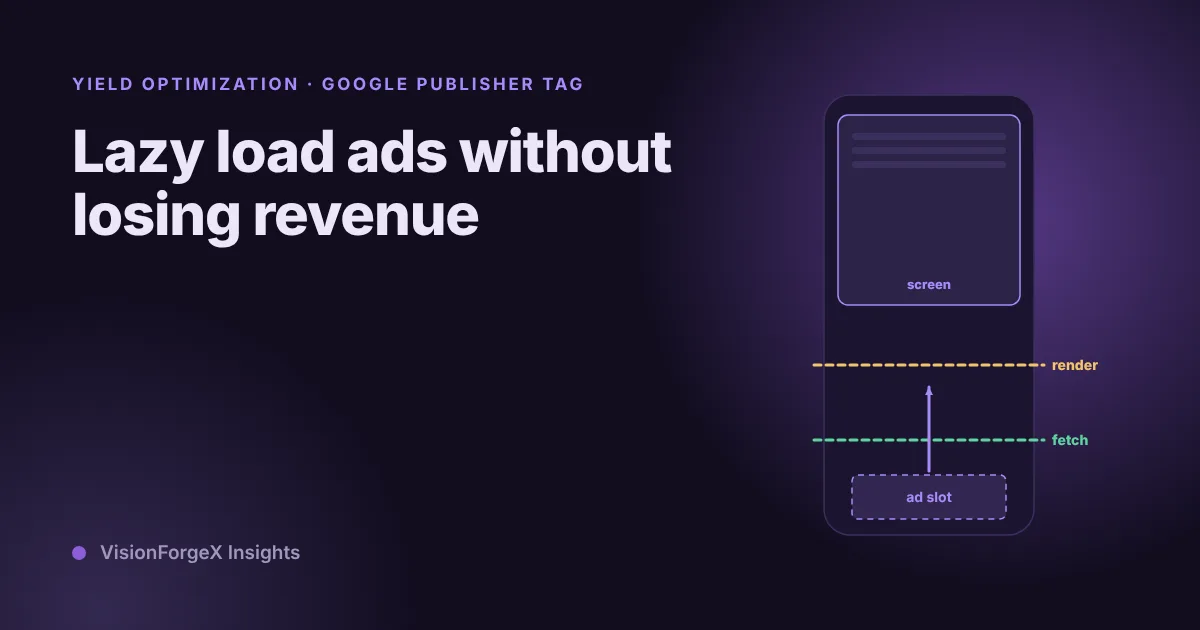
To lazy load ads in Google Publisher Tag, you tell it to wait with the ad request, and the rendering, until a slot is close to the screen. Two numbers decide how close: a fetch margin and a render margin, both as a percentage of the screen's height. Set them too tight and a reader scrolls into a blank box. Set them too loose and the page asks for ads that nobody sees. This guide covers what each setting does, how to test three distances on your own pages and what to measure, so you can pick by your own numbers.
The code uses Google's current configuration call. If your page still uses the older enableLazyLoad(), it works the same way, and the migration is a one-line change.
What we saw
We tried to give our tag a single best answer and could not. Loading distance is the one setting where we have no value we would call best for every site. So our tag, when a site switches the feature on, tests three distances on that site's own visitors: a close one (fetch half a screen away, render a quarter), a standard one (fetch one screen away, render half) and an early one (fetch two screens away, render one). By default 70 percent of visits get the standard distance and 15 percent each of the others. A distance wins only if it has at least 300 page views behind it, is not slower or jumpier, and is more than two standard errors better in viewable impressions per page. The winner then gets 80 percent of visits.
We are not publishing a winning number, because we do not have one that holds across sites, and the test exists for that reason.
We also made one design choice that touches this topic. Our tag asks partners for bids in parallel with Google's own lazy loading, instead of holding every ad request until bidders answer. The stricter pattern is the textbook one, and it once stopped all ads on a page (the full story is in our guide to header bidding timeouts). The price of our choice is stated in the code: a slot already on screen at page load may sometimes miss the very first bid.
How it works
Without lazy loading, Google's tag requests an ad for every slot as the page loads, including the ones far below the fold. Many of those are never seen. They cost a request, a page weight and often a place in the queue ahead of the slots the reader sees first.
With lazy loading on, Google's tag holds a slot until it is near the screen. Two options control that:
fetchMarginPercentis the minimum distance from the current screen a slot must be before the tag fetches the ad, as a percentage of the screen size. 0 means the fetch starts when the slot enters the screen, and 100 means when it is one screen away.renderMarginPercentis the same for rendering. Setting it lower than the fetch margin lets the ad be fetched early and shown later.mobileScalingmultiplies both margins on phones, so 2.0 doubles them.- Setting a margin to
-1turns that margin off.
Google says omitted values get a default that it tunes over time, and it does not publish the numbers. If you set nothing, you do not know your margins.
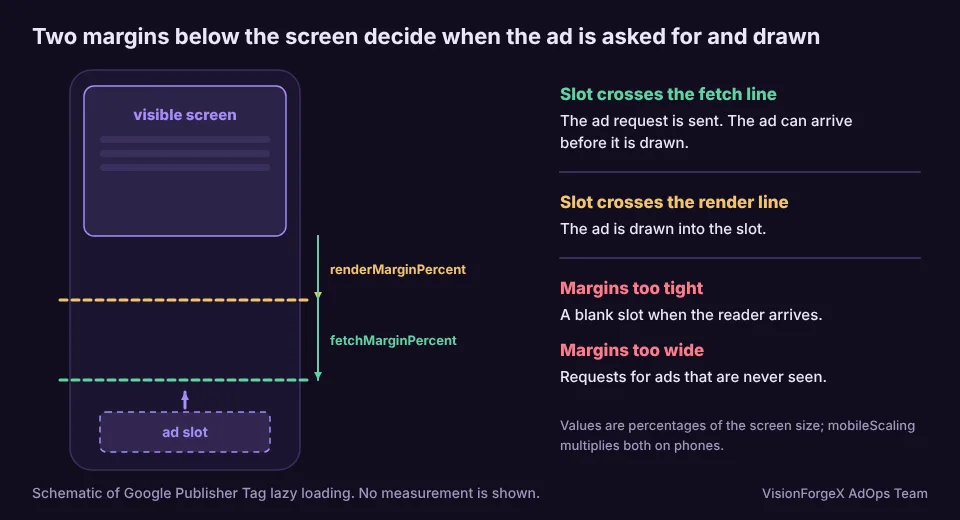
The trade is easy to state. A larger margin gives the ad more time to be ready, so fewer readers meet a blank slot, and it asks for more ads that will never be seen. A smaller margin saves those requests and gives the ad less time. The right point depends on how fast readers scroll, how fast your demand answers and how long your page is.
How to set it
Set it before enableServices():
googletag.cmd.push(function () {
  googletag.setConfig({
    lazyLoad: {
      fetchMarginPercent: 100,  // start the ad request one screen away
      renderMarginPercent: 50,  // draw the ad half a screen away
      mobileScaling: 2.0        // double both margins on phones
    }
  });
  googletag.enableServices();
});
This is the form from Google's configuration migration guide, which lists pubads().enableLazyLoad(config) as the legacy call with the same option names. The numbers are an example, not advice. Our own tag still makes the older call for the time being, and it works.
What lazy loading does not do: it does not fix a slow bidder, and it does not reserve space for the ad. A slot with no reserved height still moves the page when it opens, as our layout shift guide explains.
How to test three distances
A fair test gives each visit one distance at random, and records which one. Use a targeting key so Ad Manager can split its reports by distance:
// Gives each page view one of three distances and tags the ad requests with its name.
var ARMS = {
  close:    { fetchMarginPercent: 50,  renderMarginPercent: 25,  mobileScaling: 2.0 },
  standard: { fetchMarginPercent: 100, renderMarginPercent: 50,  mobileScaling: 2.0 },
  early:    { fetchMarginPercent: 200, renderMarginPercent: 100, mobileScaling: 2.0 }
};
var names = Object.keys(ARMS);
var arm = names[Math.floor(Math.random() * names.length)];
googletag.cmd.push(function () {
  googletag.setConfig({ lazyLoad: ARMS[arm], targeting: { lazy_arm: arm } });
  googletag.enableServices();
});
Before you run it, create a key called lazy_arm in Ad Manager and make it available for reporting, with the three values close, standard and early. Ad Manager limits key names to 20 characters and values to 40 (system limits), and reportable keys are limited as well (key-value limits), so check your network first. Make the key reportable before the test starts, because Google's reporting page says dates before that show no data for it. Without the key the test runs but you cannot read it.
The numbers in ARMS are the three we use. Change them to fit your page.
What to measure
Compare the three groups on revenue per page view and viewable impressions per page view. These are the figures that include the cost of a setting in both directions. Active View viewability as a rate can mislead you, because a tight margin removes requests that would not have been viewable and the rate rises while your revenue falls.
You can also count, on the page, how many requests turn into viewable impressions:
var requested = 0, viewable = 0;
googletag.cmd.push(function () {
  var p = googletag.pubads();
  p.addEventListener('slotRequested', function () { requested++; });
  p.addEventListener('impressionViewable', function () { viewable++; });
});
// send the two numbers to your own endpoint when the reader leaves
addEventListener('pagehide', function () {
  navigator.sendBeacon('/lazy-stats', JSON.stringify({ requested: requested, viewable: viewable }));
});
impressionViewable is one of Google's ad events, listed in its event samples. The /lazy-stats address is a placeholder for an endpoint of yours. Each page view gives you the number of requests that never became viewable, which is what a bigger margin wastes. Both snippets were run against a stand-in googletag in a headless browser, and we have not run them against live Google ads.
Be patient. Differences between distances are small compared with the day-to-day swing, and a week on a small site tells you little. We ask for 300 page views per distance before our tag even looks at the difference, and that is a floor, not a promise.
For a data point on the size of the effect, Google published a case study in which a publisher reported 30 percent higher viewability and higher request CPMs after tuning lazy loading. These are that publisher's 2024 results, and Google notes that results vary. We would not plan around them.
Mistakes we see
- Lazy loading with no reserved space. The ad arrives in view and pushes the text.
- Leaving the margins at Google's defaults. They are tuned over time, so your pages are tested against a moving setting you cannot read.
- Judging by viewability rate. It goes up when you request fewer ads, whether or not revenue does.
- Lazy loading plus a single request. Check whether the first slot is fetching for the whole page.
- Changing margins and layout together. You cannot tell which one moved the numbers.
How VisionForgeX handles this
Our tag has this test built in, as part of ForgeAI Vitals, and it is off until a site switches it on. When the feature is off, the site keeps the standard distance, which is the middle one above. If you do not use us, the two snippets above give you the same comparison on Google's own reporting, and a spreadsheet.
Frequently asked questions
Does lazy loading reduce ad revenue?
It can, when slots that were about to be seen are asked for too late, and it can raise it, when it stops requests for ads nobody sees and improves the viewability buyers pay for. Test your own pages, and compare revenue per page view.
What are good fetchMarginPercent and renderMarginPercent values?
We do not know a value that suits every page, and Google does not publish its defaults. A fetch margin of 100 and a render margin of 50 is a middle position that works as a starting point to test from. Treat it as a hypothesis.
Does lazy loading work with a single request?
Only partly. Google's documentation says the first slot coming within the fetch margin triggers the request for all slots, so the page is no longer loaded slot by slot.
Should the render margin be smaller than the fetch margin?
Often, yes. It lets the ad be fetched ahead of time and drawn only when the reader is close. Our standard setting uses half the fetch margin for rendering.
Does lazy loading help Core Web Vitals?
It can reduce the work done while the page loads, since fewer ads are requested at the start. It does not reduce layout shift by itself, and you need reserved space for that.
Where to go next
If slots stay empty after you turn lazy loading on, run the ten-minute checklist for Google Ad Manager ads not showing. To see where the Google demand behind each request comes from, read how Google Ad Exchange works for publishers. For questions about your own setup, contact us.
 Yield and revenue optimization
Ad refresh and Google's 30-second rule: what viewability changes
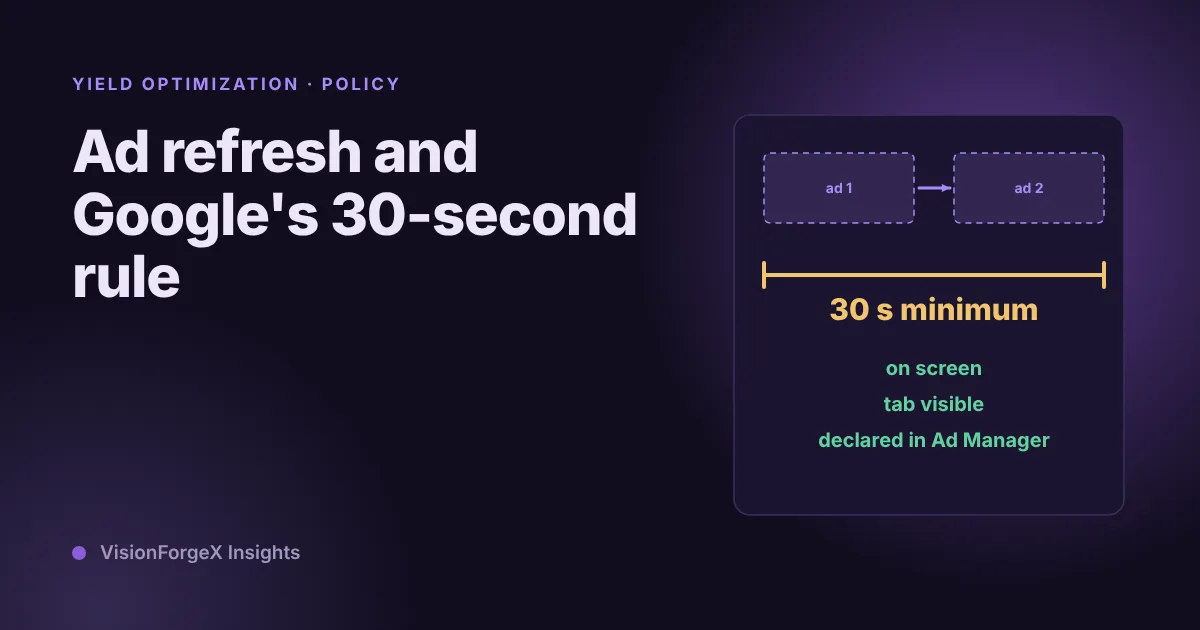
Google allows refreshing an ad no faster than every 30 seconds for time-based and event-based refresh, and wants you to declare it. Here is how it works, what we do in our own tag, and a timer that only refreshes ads people can see.
 Yield and revenue optimization
How to test floor prices and read the result honestly
A floor change always seems to work if you read eCPM, and always seems to fail if you read fill. How to test floor prices properly, what Google's own experiments give you, how long to wait, and a small script that says when a result is real.
 Yield and revenue optimization
Floor prices by country and device: two ways that fit in Ad Manager
One floor for the whole world is too high in some countries and too low in others. Two ways to set floors by country and device in Google Ad Manager, how we fit them under the 200-rule limit, and a mistake we made with page-wide targeting.