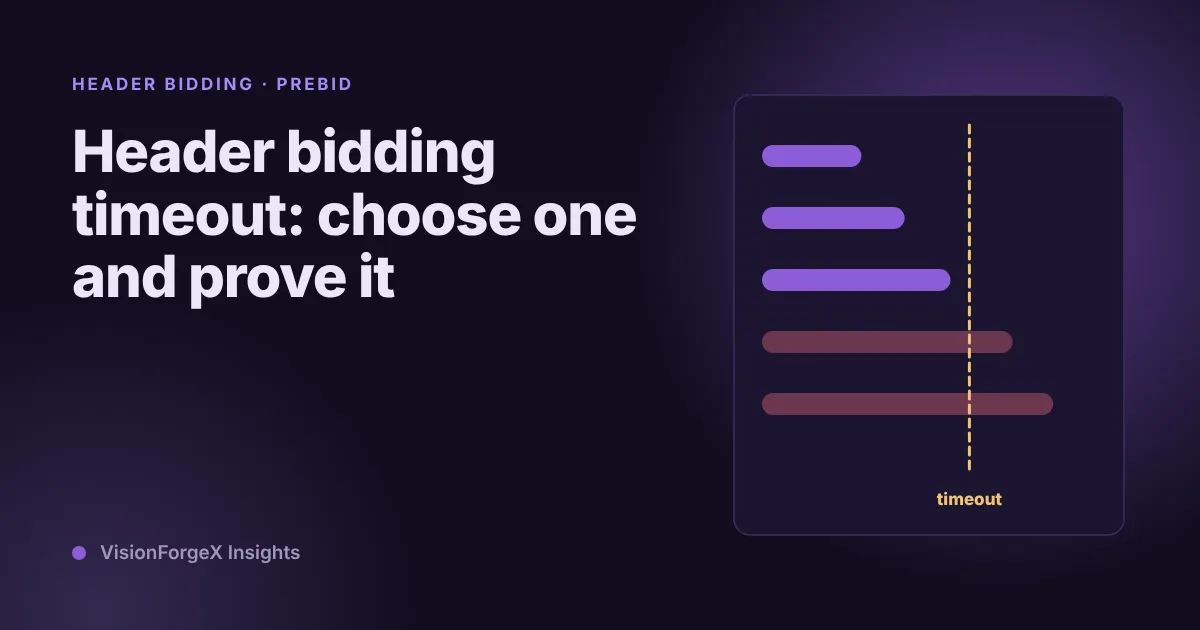
Header bidding timeout: how to choose one and prove it
There is no right timeout for everyone. There is a right one for your page, and you can find it from your own bid times. Code to measure it, a failsafe that cannot hang the page, and the mistake that once stopped all our ads.
On this page
- What we saw
- How a timeout works
- How to measure your bidders
- How to choose the number
- How to set it, with a failsafe
- Mistakes we see
- How VisionForgeX handles this
- Frequently asked questions
- What is a good header bidding timeout?
- Does a lower timeout always speed up my page?
- Should the failsafe timeout be shorter than the bidder timeout?
- Why does Prebid sometimes time out later than I set?
- Is it enough to look at the average response time?
- Where to go next
A header bidding timeout is the longest the page will wait for bidders to answer before it sends the ad request without them. It is a trade, and the right number depends on your bidders and your page, which is why copying a figure from another site tends to go wrong. This guide shows how to measure each bidder's response time, how to read what a given timeout would cost, how to set it in Prebid, and how to add a failsafe so a slow or missing bidder cannot stop the page showing ads.
You need a page that already runs Prebid.js and Google Ad Manager. The code is checked against Prebid's documentation, and we say where we have run it and where we have not.
What we saw
An early version of our tag held the Google ad request until Prebid answered. It did it by calling disableInitialLoad(), which stops Google's tag from requesting ads by itself, and then waiting for Prebid to call back. The result, as our notes record it, was that the request was held and ads stopped. Waiting on a callback that does not arrive looks like nothing at all: no error, no failed request, only a page without ads.
The fix became a rule in our gotcha list: never gate the Google request on something that may not come. The request needs a way out that does not depend on the thing it waits for. That is what a failsafe timer is, and the code below includes one.
Today our tag's wait for partner bids defaults to 1,000 milliseconds and accepts 300 to 3,000. The value reaches Prebid twice, as the global bidderTimeout and as the timeout of the request itself.
How a timeout works
When the page asks for bids, Prebid sends a request to every bidder at once and starts a clock. Bids that arrive before the clock runs out take part in the auction. Bids that arrive later are ignored for that auction. When the auction ends, the winning bid's price is passed to Ad Manager as targeting, and the ad request goes out.
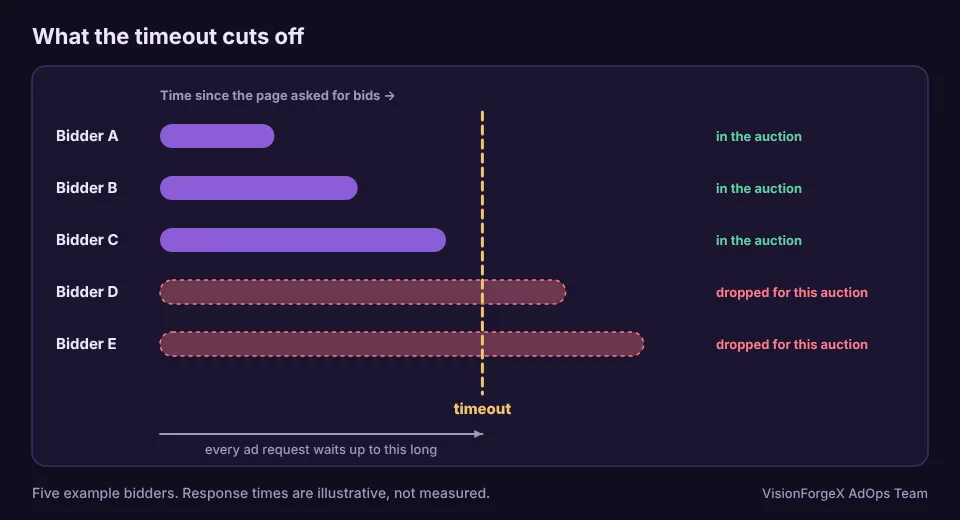
Two costs follow from that.
- A short timeout loses bids. Slow bidders are cut off. If those bidders would have won, the price you pass to Ad Manager is lower than it could be.
- A long timeout delays the ad. The ad request cannot go out until the auction ends, so the slowest bidder you wait for sets how late every ad on the page arrives. A late ad is more likely to arrive after the reader has scrolled on, and more likely to push content as it opens.
Prebid's documentation also warns that "it's possible for the timeout to be triggered later than expected", in its notes on bidderTimeout. Browsers run timers late on a busy page. Treat any timeout as a target, not a promise.
How to measure your bidders
You need each bidder's response times from your own pages. Prebid keeps the bids it received, and pbjs.getBidResponses() returns them by ad unit, each with the bidder's code and timeToRespond. Paste this in the console a minute after the page loaded:
// How long each bidder took, from the bids Prebid received on this page.
const times = {};
Object.values(pbjs.getBidResponses()).forEach((unit) => {
  unit.bids.forEach((b) => { (times[b.bidder] = times[b.bidder] || []).push(b.timeToRespond); });
});
const pick = (a, p) => a.slice().sort((x, y) => x - y)[Math.min(a.length - 1, Math.floor(p * a.length))];
console.table(Object.entries(times).map(([bidder, a]) => (
  { bidder, bids: a.length, median: pick(a, 0.5), p90: pick(a, 0.9) }
)));
You get a row per bidder with the median and the 90th percentile. This counts only bids that arrived. A bidder that did not answer in time is not in it, so to see those, count the bidTimeout event too. Put this early on the page, before the auction:
// Counts, per bidder, the bids that missed the timeout. Run it before requestBids.
const missed = {};
pbjs.que.push(() => {
  pbjs.onEvent('bidTimeout', (bids) => {
    bids.forEach((b) => { const k = b.bidder || b.bidderCode; missed[k] = (missed[k] || 0) + 1; });
  });
});
// later: console.table(missed);
bidTimeout is in Prebid's list of events, which describes its payload as an array of timed-out bids. The field name for the bidder is not spelled out there, so the code tries two. We ran both snippets against a stand-in pbjs in a headless browser while preparing this article, and they print what we expect. We have not run them against a live Prebid build.
One page view tells you little. Collect the numbers over a day of real traffic, ideally to your analytics, before you decide anything. A bidder's response time changes with the time of day and the visitor's connection.
How to choose the number
With a day of data, make a small table for each candidate timeout, say 500, 800, 1,000 and 1,500 ms. For each, count the share of bids, and if you can the share of bid value, that arrived later. Then look for the point where adding another 200 ms buys you very little.
There is no formula for the answer, only a way to see it. If 90 percent of your bids arrive within 600 ms and the rest are spread out to two seconds, a timeout of 600 is a lot cheaper than one of 2,000 and costs you a small slice. If the slow tail carries a large share of the bid value, a short timeout costs you that value, and it is worth the wait.
Three cautions:
- Pages differ. A heavy page on a phone runs bidders slower than a light page on a laptop. Look at mobile and desktop separately.
- A bidder is not one number. Some bidders answer fast for a few requests and slowly under load.
- Prove it by comparing, not by reasoning. In our view the only honest test is a split. Change the timeout for half of your traffic and compare ad revenue per thousand pages, not per ad, because a longer wait also changes how many ads are seen. This needs weeks on a small site. It is the only test that includes the cost of delay.
How to set it, with a failsafe
Prebid's own basic example shows the shape: hold the ad request, ask for bids, send the request when they are back, and also send it from a timer so a missing callback cannot hold the page. This version is arranged the same way, with Google's current configuration call in place of the legacy disableInitialLoad() (see Google's migration guide):
var pbjs = pbjs || {}; pbjs.que = pbjs.que || [];     // Prebid's usual first line, so the code below cannot throw if the script never loads
var BIDDER_TIMEOUT = 1000;    // ms Prebid waits for bidders
var FAILSAFE_TIMEOUT = 1500;  // ms after which the ad request goes out whatever happens; keep it above BIDDER_TIMEOUT

googletag.cmd.push(function () {
  googletag.setConfig({ disableInitialLoad: true });   // we send the request ourselves
});

function sendAdRequest() {
  if (window.adRequestSent) return;                    // whichever comes first wins; the other does nothing
  window.adRequestSent = true;
  googletag.cmd.push(function () {
    if (window.pbjs && pbjs.libLoaded) pbjs.setTargetingForGPTAsync();   // only add prices if Prebid is there
    googletag.pubads().refresh();
  });
}

pbjs.que.push(function () {
  pbjs.setConfig({ bidderTimeout: BIDDER_TIMEOUT });
  pbjs.requestBids({ bidsBackHandler: sendAdRequest });
});
setTimeout(sendAdRequest, FAILSAFE_TIMEOUT);
Why 1,500 and not 1,000: the failsafe is there for the case where Prebid itself is broken or never loaded, not to cut bidders short. If it equals the bidder timeout, it will often fire first and send the request just before the bids return. Prebid's basic example sets its failsafe to 700 ms and does not set bidderTimeout, so its timer controls the whole wait. Whether your page should do the same is a choice, and the figure above is ours.
This code was not run on a live page for this article. The structure follows Prebid's example, and the two configuration names come from the documentation pages linked above.
Mistakes we see
- Copying a number. "700 ms" is in Prebid's example because an example needs one. It is not advice for your page.
- A failsafe shorter than the bidder timeout. The ad request leaves first and the bids are wasted.
- No failsafe at all. The page depends on every script loading.
- Measuring only the winners. The bids that arrived are not the whole story. Count the ones that missed.
- Changing timeout and bidders together. You cannot tell which one moved revenue.
How VisionForgeX handles this
Our tag asks partners for bids with a default wait of 1,000 ms, adjustable per site from 300 to 3,000 ms, and it never holds the ad request behind them. If you want to see how Prebid and our other demand sources fit together, see the Prebid section of our partners page, and the developer guide for the technical side. The Prebid support we built for apps (off until switched on) uses a shorter default of 800 ms, and the app stops asking after three failures in a row, for ten minutes, so a failing partner cannot slow every ad.
Frequently asked questions
What is a good header bidding timeout?
It depends on your bidders and your page. We will not give a figure as a rule. Prebid's own example uses 700 ms and our tag defaults to 1,000, and both are starting points. Measure the share of bids that arrive after each candidate and pick the point where the loss gets small.
Does a lower timeout always speed up my page?
It speeds up the ad request, since the auction ends sooner. It does not speed up the rest of the page. If ads are your slowest part, a lower timeout helps. If they are not, you gain little and lose bids.
Should the failsafe timeout be shorter than the bidder timeout?
No. The failsafe exists so a broken script cannot stop the ads. If it fires before the bidder timeout, it sends the ad request without bids that were still on their way.
Why does Prebid sometimes time out later than I set?
Timers in browsers can fire late when the page is busy, and Prebid's own documentation says so. A heavy page and a slow phone make it worse.
Is it enough to look at the average response time?
No. The average hides the slow tail, which is the part a timeout cuts. Look at the 90th percentile and at the count of bids that missed.
Where to go next
If waiting for bids makes the ad arrive when the reader is already scrolling, read how to measure layout shift from ads. For where the Google side of the auction comes from, see how Google Ad Exchange works for publishers. To ask us about your own setup, contact us.
Read next
More on Header bidding and Prebid → Publisher growth
Revenue per visit: which traffic sources really pay for themselves
Page RPM tells you what a page earns; revenue per visit tells you what a visitor from Facebook, search or a paid campaign earns across every page they read. How to measure it without inventing revenue, the counting mistake we made, and a script.
 Programmatic basics
PPID in Google Ad Manager: a first-party ID done carefully
The publisher provided identifier lets you send Google your own ID for a reader, so frequency caps and audiences work without third-party cookies. What Google requires, who sees it, the consent rules we follow, and code that sets it only when it should.
 Ad formats and placements
Web interstitial ads: triggers, frequency caps and #google_vignette
A web interstitial is the full-screen ad Google shows when a reader moves between pages or comes back to a tab. Which triggers exist, how the frequency cap works, code that sets them, and why the address of your page suddenly ends in #google_vignette.