Ad refresh and Google's 30-second rule: what viewability changes
Google allows refreshing an ad no faster than every 30 seconds for time-based and event-based refresh, and wants you to declare it. Here is how it works, what we do in our own tag, and a timer that only refreshes ads people can see.
On this page
- What we saw
- Google's rules
- Viewability and refresh
- The code
- Mistakes we see
- How VisionForgeX handles this
- Frequently asked questions
- What is the minimum time between ad refreshes in Google Ad Manager?
- Do I have to declare ad refresh?
- Is refreshing ads every 30 seconds a good idea?
- Does scrolling count as a user action for refresh?
- Can I refresh an ad that is below the fold?
- Where to go next
Ad refresh means asking for a new ad in a slot that already shows one, without the reader loading a new page. Google lets you do it, with two conditions: a time-based or event-based refresh must be at least 30 seconds apart, and refreshing inventory must be declared in Ad Manager. Refresh can add revenue on a page where people stay, and it can cost you an account when it is done carelessly. This guide covers Google's rules as written, the mistakes we made in our own refresh code and how we fixed them, and a timer you can use that refreshes only ads someone can see.
The rules below come from Google's Ad Manager help pages, linked where they apply. Policies change, so read the pages themselves before you rely on a summary, including this one.
What we saw
Refresh code looks too small to go wrong, and we got it wrong twice.
The first refresh came after one second. Our tag keeps a "last refreshed" time per slot and refuses to refresh again until 30 seconds have passed. The time started at zero, which is the year 1970. On the first check, a slot that had just rendered looked as if it had last been refreshed fifty years ago, so the 30-second rule did not stop it, and the first refresh fired as soon as the reader had looked at the ad for one second. The fix is to set the time when the first ad is drawn. The gate then counts from the moment the slot had something to refresh away from.
The anchor never refreshed. Our refresh logic watches each slot with a visibility observer. An anchor ad, the bar fixed to the screen's edge, has no element in the page flow to observe, so it was never seen as visible and never refreshed. It uses a timer now.
We keep one rule above all others, written in the code: a hard floor of 30 seconds, applied when the tag starts, whatever the site's settings say. A setting that asks for 10 seconds is raised to 30. We put it there because an interval under 30 seconds is a common cause of account action, and a setting somebody mistypes should not be able to put a publisher's account at risk.
Google's rules
Google's page on declaring refreshing inventory distinguishes three kinds of refresh:
| Kind | What it is | Minimum on the web |
|---|---|---|
| User action | The reader navigates to new content, such as infinite scroll loading a new article, filtering results or revealing hidden content | None |
| Event-driven | You change both the content and the ads on an event, such as a new playlist track or a live score | 30 seconds |
| Time-based | A timer on a preset interval | 30 seconds |
The page adds some limits on what counts. Being active on a page, hovering without navigating, and scrolling that does not bring up substantially new content are not user-action refreshes. Events that usually take under 120 seconds, small updates made only to get new ads, and new comments do not qualify as events. Google recommends user action or event-driven refresh where you can use them.
You must also declare refreshing inventory in Ad Manager, under Inventory, Inventory rules, Publisher declarations. A declaration names the inventory it covers, the refresh trigger types (you can pick more than one) and a minimum interval for each. Google's page calls failing to declare, or declaring improperly, a violation of Google policy, and says it will notify you of any it detects. Its example is worth remembering: if your real refresh interval is 220 seconds, you declare 180. Declaring 240 would be a violation. So the declared minimum must not be longer than the real one.
A declaration does not make anything refresh. It only states what your page does, so your code has to match it.
For apps, Google has a separate page on refresh rates in mobile apps. It gives a minimum of 30 seconds, custom intervals between 30 and 120 seconds, and a suggestion of 60 seconds or longer. It also says that not declaring a refresh rate for ad units eligible for dynamic allocation is a violation.
Viewability and refresh
A refreshed ad is a new impression. Buyers who pay for viewable impressions pay for the ones that were seen, and a refresh that fires while the slot is below the fold, or while the tab is in the background, produces an impression nobody saw. Our view is that those impressions earn little and risk the buyer's trust, so we do not make them.
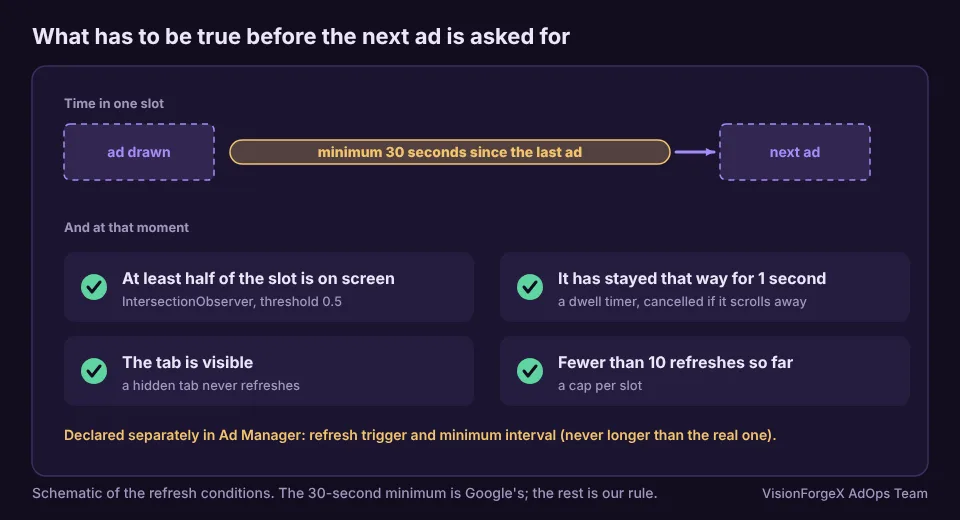
The refresh conditions in our tag are these:
- at least half of the slot is on screen (an
IntersectionObserverthreshold of 0.5), - it has stayed that way for one second,
- the tab is visible (a hidden tab never refreshes, and the dwell timer does not start in one),
- 30 seconds have passed since the last ad was drawn,
- the slot has not already been refreshed ten times.
The values come from the site's settings, and no setting can lower the 30-second floor.
The code
This is a timer that applies the same conditions to one slot. Google's tag exposes slotRenderEnded and refresh() in its reference:
// Refreshes one slot only while it is at least half on screen, in a visible tab, 30 s after its last ad.
const MIN_MS = 30000, DWELL_MS = 1000, MAX_REFRESHES = 10;
function autoRefresh(slot) {
  const el = document.getElementById(slot.getSlotElementId());
  let last = Date.now(), count = 0, timer = 0, visible = false;
  const arm = () => {
    clearTimeout(timer);
    if (!visible || document.hidden || count >= MAX_REFRESHES) return;
    const wait = Math.max(DWELL_MS, last + MIN_MS - Date.now());   // never sooner than the floor
    timer = setTimeout(() => {
      googletag.pubads().refresh([slot]);
      count++;
      last = Date.now();
      arm();                                                        // the next one counts from now
    }, wait);
  };
  googletag.pubads().addEventListener('slotRenderEnded', (e) => {   // any new ad restarts the 30 seconds
    if (e.slot === slot) { last = Date.now(); arm(); }
  });
  new IntersectionObserver(([entry]) => {
    visible = entry.isIntersecting && entry.intersectionRatio >= 0.5;
    arm();
  }, { threshold: [0, 0.5, 1] }).observe(el);
  document.addEventListener('visibilitychange', arm);
}
// after the slot is defined and services are enabled:
// googletag.cmd.push(() => googletag.pubads().getSlots().forEach(autoRefresh));
How to check it: add slotRequested and slotRenderEnded console logs as in our checklist for ads not showing, scroll a slot into view, and count the seconds between lines. The first refresh should come about 30 seconds after the first ad was drawn, and none should come while the slot is off screen.
We ran this code with a controlled clock in a headless browser, against a stand-in googletag and a stand-in visibility observer. It refused to refresh at 29 seconds, refreshed once at 31, did not refresh while hidden or off screen, and stopped after ten. We have not run it against live Google ads.
What it does not do: it does not declare anything in Ad Manager, it does not handle header bidding (a partner may need to be asked for new bids before each refresh), and it does not make a refreshed ad more valuable. It only keeps you from refreshing at the wrong moments.
Mistakes we see
- A floor that a setting can lower. One mistyped number should not be able to break Google's rule.
- Not declaring. A page that refreshes and has no declaration is in breach even if the interval is long.
- Declaring a longer interval than the real one. Google's own example calls this a violation.
- Refreshing hidden or off-screen slots. The impression is not seen.
- Calling a timer "user action". Hovering and ordinary scrolling are not, by Google's page.
- Forgetting bidders. If partners bid on the first ad, they should be asked again before the refresh, or the second ad runs without their demand.
- No cap. A reader who leaves a tab open for an hour should not see 120 ads.
How VisionForgeX handles this
Refresh is a per-site setting in our tag, with the floor and the cap above, and a separate option to hold refresh for visitors who have gone idle. That option is off until a site switches it on. The tag asks partners again before refreshing a slot that had partner bids. It does not make the declaration in Ad Manager for you, because that sits in your network, and Google requires it.
Frequently asked questions
What is the minimum time between ad refreshes in Google Ad Manager?
Thirty seconds for time-based and event-based refresh, on the web and in apps, according to Google's help page. A refresh triggered by a real user action, such as infinite scroll that loads new content, has no minimum.
Do I have to declare ad refresh?
Yes. Google's page says that not declaring refreshing inventory, or declaring it wrongly, is a policy violation. You declare it in Ad Manager under Inventory rules, with the trigger types and the minimum interval.
Is refreshing ads every 30 seconds a good idea?
It depends on the page. It can add revenue where readers stay for minutes, and it can lower the value of your inventory where they do not. Measure revenue per page view and viewable impressions per page view before and after, and read our layout shift guide if the refreshed ad is taller than the first.
Does scrolling count as a user action for refresh?
Not by itself. Google's page says scrolling that does not surface substantially new content does not count. Infinite scroll that loads a new article does.
Can I refresh an ad that is below the fold?
Technically yes, and we do not. An impression nobody can see earns little, and a pattern of them is something a buyer may notice.
Where to go next
If you are choosing how far ahead of the reader ads should start to load, see lazy loading ads without losing revenue. For the demand that fills each refresh, read how Google Ad Exchange works for publishers. If your own setup worries you, talk to us.
 Yield and revenue optimization
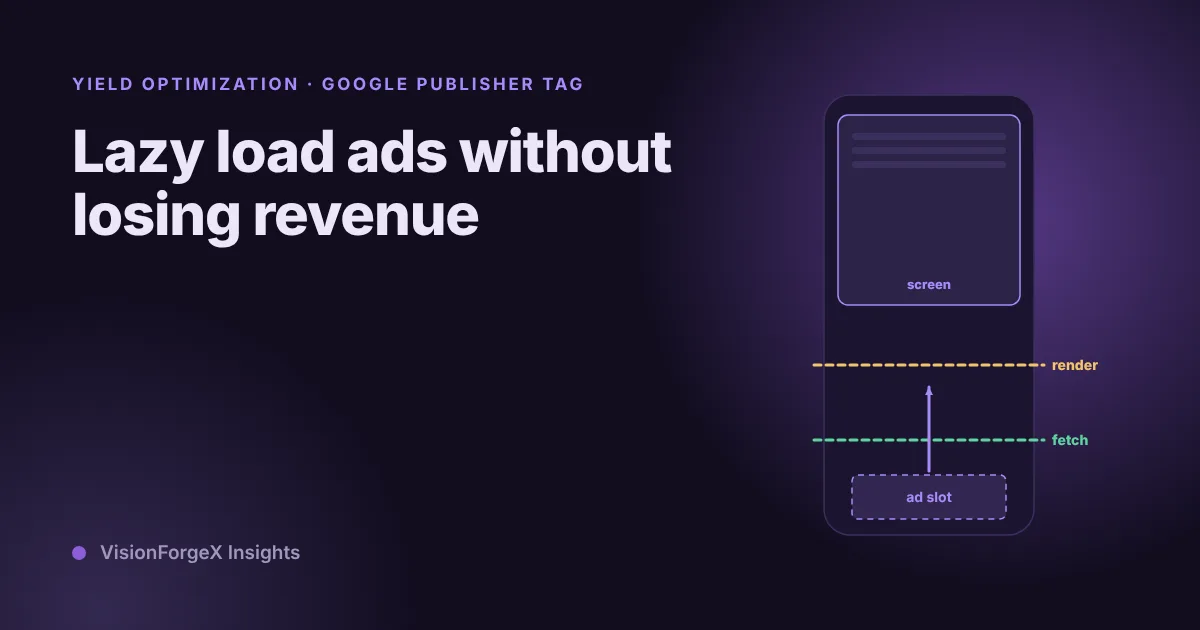
Lazy load ads without losing revenue: how far ahead to start
Lazy loading stops the page asking for ads nobody will see, and it can also cost you ads that were about to be seen. The settings, a way to test three distances on your own pages, and what to measure.
 Yield and revenue optimization
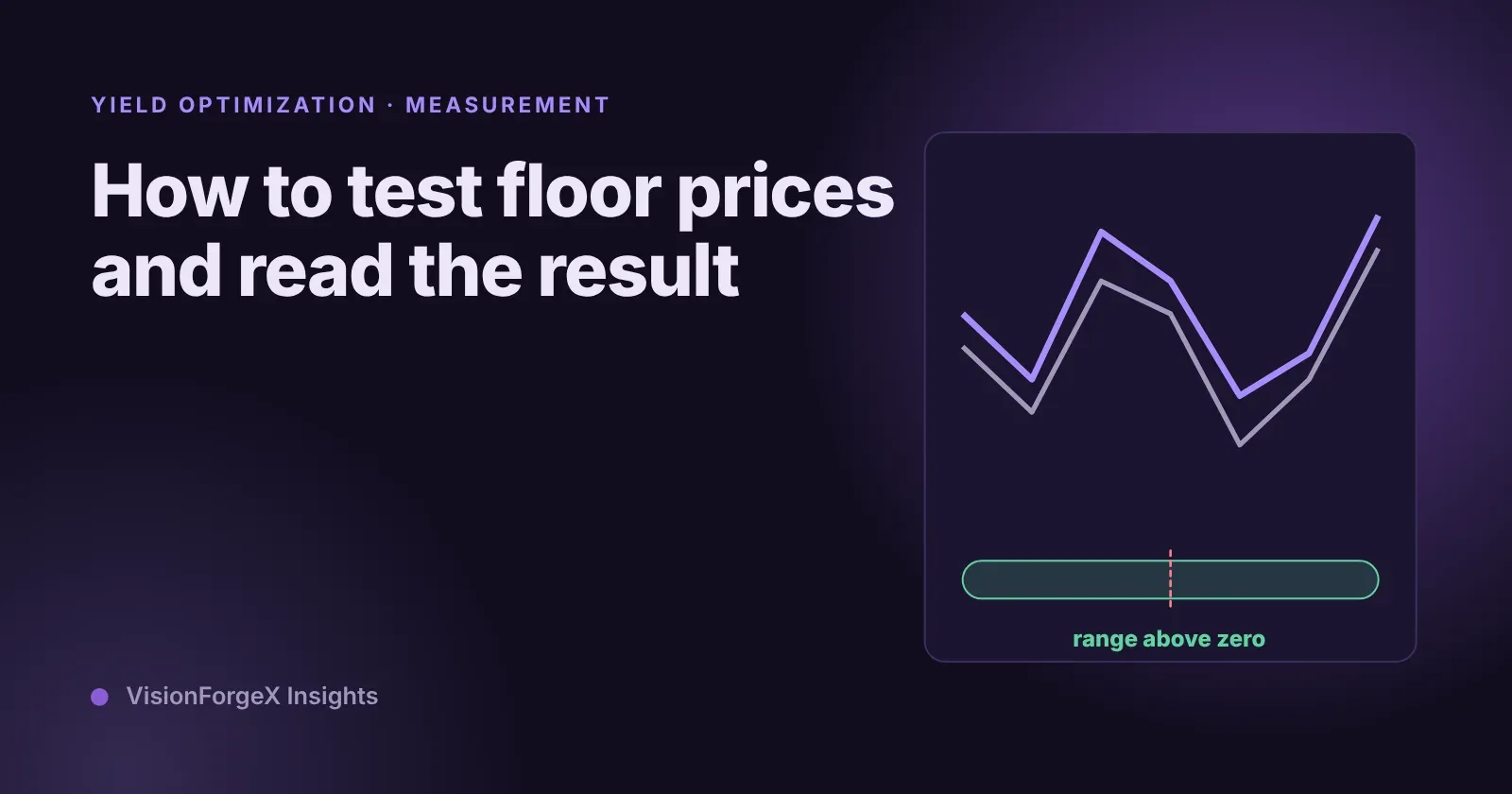
How to test floor prices and read the result honestly
A floor change always seems to work if you read eCPM, and always seems to fail if you read fill. How to test floor prices properly, what Google's own experiments give you, how long to wait, and a small script that says when a result is real.
 Yield and revenue optimization
Floor prices by country and device: two ways that fit in Ad Manager
One floor for the whole world is too high in some countries and too low in others. Two ways to set floors by country and device in Google Ad Manager, how we fit them under the 200-rule limit, and a mistake we made with page-wide targeting.