WP Rocket ads not showing: how to fix delayed ad scripts
Speed plugins that delay JavaScript can keep Google's ad script from running until a visitor moves, taps or scrolls. How to see it in your own page source, the setting that fixes it in three plugins, and how to prove the fix.
On this page
- What we saw
- How it works
- How to see it on your page
- How to fix it
- How to prove it worked
- Mistakes we see
- How VisionForgeX handles this
- Frequently asked questions
- Why are my ads showing for me but not for visitors?
- Should I turn off Delay JavaScript Execution completely?
- Does this affect Google AdSense and Ad Manager equally?
- Will excluding the ad script hurt my Core Web Vitals?
- How do I know which plugin holds my script?
- Where to go next
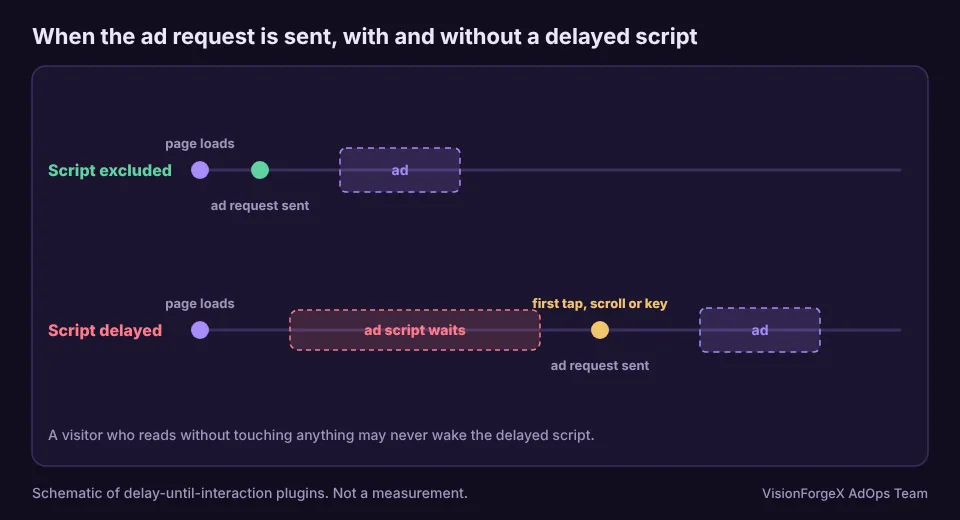
If WP Rocket ads are not showing, the likely cause is a setting called Delay JavaScript Execution. It holds scripts back until the visitor moves the mouse, touches the screen, scrolls or presses a key, and Google's ad script is one of the scripts it holds. Until that first interaction there is no ad request, so a visitor who reads without touching anything sees no ad, and one who scrolls sees it arrive late. LiteSpeed Cache and Perfmatters have an equivalent option and the same effect.
This guide shows how to confirm it from your own page source, the setting that fixes it in each of the three plugins, and how to prove the fix worked. It applies to any site where ads come from a script that a plugin can see.
What we saw
We build tools that check whether a site's ad tag runs, and speed plugins were the first thing they had to learn about. Two of the lessons are on our gotcha list.
Held scripts do not run on their own. Our setup scanner opens a page in a real browser and expects the ad tag to run. On sites with a delaying plugin, nothing happened until we sent it the events a visitor would: mouse, key, touch and wheel. Without them, a page that would show ads to real readers looked to our scanner like a page with none.
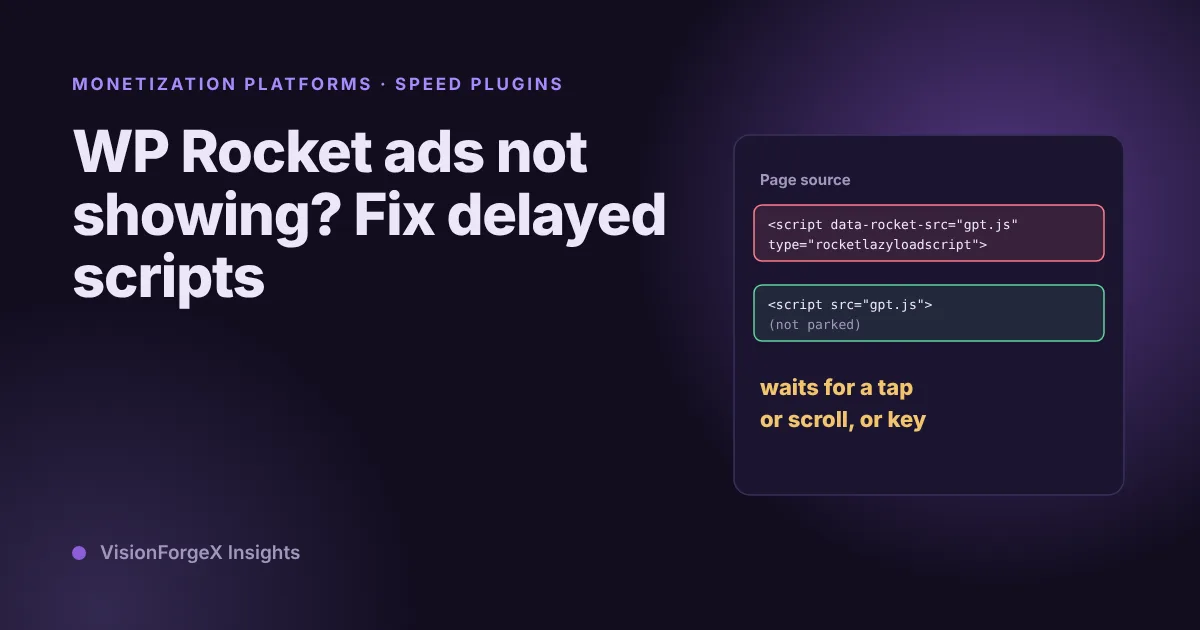
The script is not where you look for it. A delaying plugin rewrites the tag. The address moves from src to an attribute such as data-rocket-src, and the type changes to something the browser does not run. A search for the ad script's address in the rendered page finds nothing useful, and a search in the original HTML does. Our checks read the attributes the plugins use for this, and they name the plugin when they find one.
The same plugins also explain a pattern that otherwise looks like a bug in the ad setup: ads that appear on your own test, because you move the mouse, and are missing for a visitor who arrives, reads and leaves.
How it works
A page loads, the plugin has rewritten each script it was told to delay so that the browser skips it, and a small loader waits for the first sign of life from the visitor. When it comes, the loader turns the held scripts back into normal ones, in order. WP Rocket's documentation says it holds scripts until the visitor interacts, such as moving the mouse, touching the screen, scrolling or pressing a key. It also says that only scripts present in the HTML at load can be delayed, and that it applies to cached or optimized pages.
LiteSpeed Cache has a setting named Load JS Deferred, in Page Optimization, JS Settings. Its two modes are Deferred, which runs scripts when the HTML has finished loading, and Delayed, which runs them only after user activity, according to LiteSpeed's documentation. Perfmatters has Delay JavaScript, which, in its words, keeps selected scripts out of the initial load and runs them after user interaction, with a mode that delays all scripts and one that delays only the ones you list.
In the modes that delay every script, the ad script is delayed unless you say otherwise. In the "listed scripts only" modes it is delayed only if its address matches something on the list, which is less common but happens when a list was copied from a guide.
How to see it on your page
The test is to read the page as the server sends it, before any plugin has had a chance to rewrite it in the browser. This snippet fetches the page again, parses it without running anything, and lists scripts that look parked and have to do with Google's ad tag:
// Lists ad-related scripts that a speed plugin has parked, from the HTML as the server sends it.
const PARKED = [
  ['WP Rocket', (s) => s.type === 'rocketlazyloadscript' || s.hasAttribute('data-rocket-src')],
  ['LiteSpeed Cache', (s) => s.type === 'litespeed/javascript' || s.hasAttribute('data-litespeed-src')],
  ['Perfmatters', (s) => s.type === 'pmdelayedscript' || [...s.attributes].some((a) => a.name.startsWith('data-perfmatters'))],
  ['WP Meteor', (s) => s.type === 'javascript/blocked' || [...s.attributes].some((a) => a.name.startsWith('data-wpmeteor'))],
];
const AD = /googletag|gpt\.js|doubleclick|adsbygoogle/i;
fetch(location.href, { cache: 'no-store' }).then((r) => r.text()).then((html) => {
  const doc = new DOMParser().parseFromString(html, 'text/html');
  const hits = [...doc.querySelectorAll('script')].filter((s) => AD.test(s.outerHTML));
  console.table(hits.map((s) => ({
    plugin: (PARKED.find(([, test]) => test(s)) || ['not parked'])[0],
    type: s.type || '(none)',
    where: (s.getAttribute('src') || s.getAttribute('data-rocket-src') || s.getAttribute('data-litespeed-src') || 'inline').slice(0, 70),
  })));
});
Read the table: a row saying not parked means the plugin left that script alone. A row naming a plugin is a script that waits for the visitor. No rows at all means the page has no ad script in its HTML, which is a different problem, and our checklist for ads not showing covers it.
We ran this against made-up pages containing each plugin's markers, in a headless browser, and it named the right plugin each time. The markers are the ones our own checks use. Plugins change their markup between versions, so a page that shows nothing here is not proof that nothing is held. If in doubt, use the network test at the end.
Do not trust the rendered DOM for this check. After the first interaction, the plugin puts the scripts back in a normal form, and a look in the inspector then shows nothing wrong.
How to fix it
In each case you add the ad scripts to the plugin's exclusion list, then clear the page cache, because the cached copy of the page still has the rewritten tags.
WP Rocket. In File Optimization, Delay JavaScript Execution, add the keyword to the field for excluded JavaScript files. WP Rocket's documentation says the field takes file URLs or keywords. For a single inline or external script you can also add the nowprocket attribute to the tag. Then use Clear and Preload Cache.
LiteSpeed Cache. In Page Optimization, Tuning, add the script's address or a part of it to JS Deferred/Delayed Excludes, one per line, with no wildcards. Then use Toolbox, Purge All.
Perfmatters. In the JavaScript menu, under Delay JavaScript, add the script to the exclusions box (if you use the delay-all mode) or take it off the delay list (if you use the listed-scripts mode). Then clear the page cache.
What to add: the name of the ad script file or the keyword that appears in it. For Google's tag that is gpt.js and googletag, and if your ad slots are defined by inline code that calls googletag.cmd.push, that code needs the same treatment, so add a short phrase that is unique to it. If you use a tag from us or another vendor, add the vendor's keyword as well.
How to prove it worked
Open the page in a clean private window and touch nothing: no mouse movement, no scroll, no key. With the Network panel open and filtered to gampad, an ad request should appear on its own as the page loads. If it only appears after you move, the script is still held. Compare against your cache: if the page you see is an old cached copy, the fix will not show until the cache is cleared, and a CDN in front of the site may keep another copy.
Mistakes we see
- Testing as a person. You move the mouse, the plugin wakes up, the ads appear, and you conclude everything is fine.
- Excluding the file and not the inline code. The loader file runs and the slot definitions stay parked, or the reverse.
- Forgetting the cache. The plugin's cache and a CDN each hold their own copy.
- Turning the whole feature off. It fixes the ads and gives up the speed gain you wanted.
- Excluding by an address that changes. A version number in the address stops matching after an update. Prefer a stable keyword.
- Not checking after updates. Plugins change their markup and their defaults.
How VisionForgeX handles this
Our setup scanner recognises delayed scripts from WP Rocket, LiteSpeed Cache, Perfmatters, WP Meteor and Cloudflare's Rocket Loader, tells you which plugin is holding the tag, and gives the exact setting to change and the keyword to add. The developer guide describes the ways to connect a site. If a site is still silent after the fix, send us the address.
Frequently asked questions
Why are my ads showing for me but not for visitors?
If a speed plugin delays the ad script, the ads start only after the first interaction. You move the mouse while testing and a visitor who only reads may not. Test in a clean window and do nothing.
Should I turn off Delay JavaScript Execution completely?
Usually not. The feature exists to speed up the page, and only the ad scripts need to be excluded. Turning it off removes a benefit you may want.
Does this affect Google AdSense and Ad Manager equally?
Both rely on scripts that a delaying plugin can hold. Perfmatters' documentation lists a pattern for AdSense's script, and the same logic applies to Google's tag for Ad Manager.
Will excluding the ad script hurt my Core Web Vitals?
It can, since the script then loads with the page. In practice the larger risk is ads that arrive after the visitor starts scrolling and push content, which our layout shift guide explains. Measure before and after.
How do I know which plugin holds my script?
Run the snippet above, or search the page source for data-rocket-src, data-litespeed-src or pmdelayedscript. The attribute names the plugin.
Where to go next
If the ad runs but moves the page when it arrives, read layout shift from ads. If ads still do not show after the exclusion, follow the ten-minute checklist, and see how Google Ad Exchange works for publishers for the demand side.
Read next
More on Monetization platforms → Google AdX and MCM
Google Ad Manager ads not showing: a ten-minute checklist
When ads do not show, the cause sits in one of four places: the page, the request, the response or the demand. Three console snippets tell you which, and a checklist covers the common causes in each.
 Publisher growth
Revenue per visit: which traffic sources really pay for themselves
Page RPM tells you what a page earns; revenue per visit tells you what a visitor from Facebook, search or a paid campaign earns across every page they read. How to measure it without inventing revenue, the counting mistake we made, and a script.
 Programmatic basics
PPID in Google Ad Manager: a first-party ID done carefully
The publisher provided identifier lets you send Google your own ID for a reader, so frequency caps and audiences work without third-party cookies. What Google requires, who sees it, the consent rules we follow, and code that sets it only when it should.