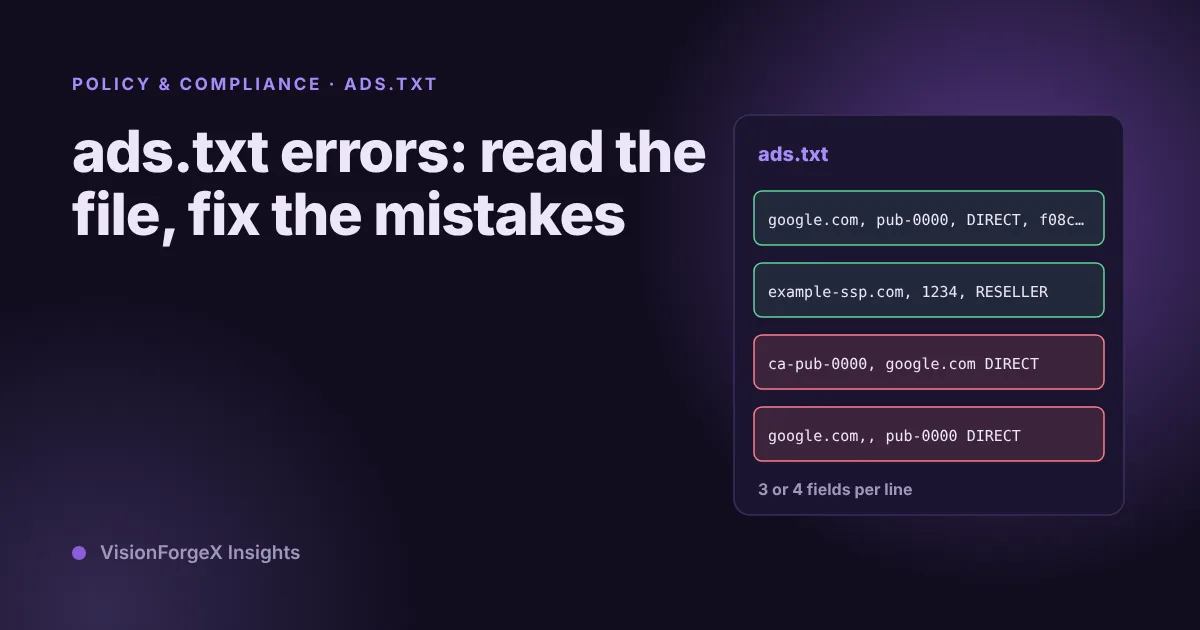
ads.txt errors: how to read the file, fix mistakes and check it daily
An ads.txt file is four fields per line and a few rules about where it lives. Most errors are small and silent. How to read one, the mistakes that break it, and a shell script that checks yours every day.
On this page
- What we saw
- How to read an ads.txt file
- Where the file must live
- The errors we would look for first
- A script that checks it every day
- Mistakes we see
- How VisionForgeX handles this
- Frequently asked questions
- What does an ads.txt error do to my revenue?
- How long does a change to ads.txt take to count?
- Do I need ads.txt on subdomains?
- Is it a problem if my ads.txt redirects?
- What if I have no authorized sellers yet?
- Where to go next
ads.txt errors rarely announce themselves. A wrong line, a file in the wrong place or an error page served as the file means some buyers cannot confirm that you are allowed to sell your inventory, and they bid less or not at all. The symptom is lower fill or lower rates, with no message anywhere. This guide explains what a line means, where the file has to live, the mistakes behind most failures, and a short script that checks yours every day.
The file format comes from the IAB Tech Lab's Ads.txt 1.1 specification. We checked the details below against it.
What we saw
We run a daily ads.txt check for every site on the platform. It fetches each publisher's live file, compares it with the lines we expect to find, and emails the publisher a reminder, at most once a week, when lines are missing. It runs at 10:00 UTC.
On 5 November 2026 we moved the platform to a new server, and the move taught us something about checks. The cron wrapper that runs the daily check read its secret token from the wrong folder. It would have started on schedule at 10:00 UTC, found no token and done nothing, with no error and no email. We caught it with a safe check that prints the length of the token and never the token itself. The fix was one path. The lesson is that a check that fails silently looks exactly like a check that passes.
We also know the check is incomplete. It compares lines, and does not validate syntax. It also does not know the extra lines that a Google Manage Inventory child account needs, which is a gap in our own records. We say so because the same gap exists in many simple checkers, and the script below has it too.
How to read an ads.txt file
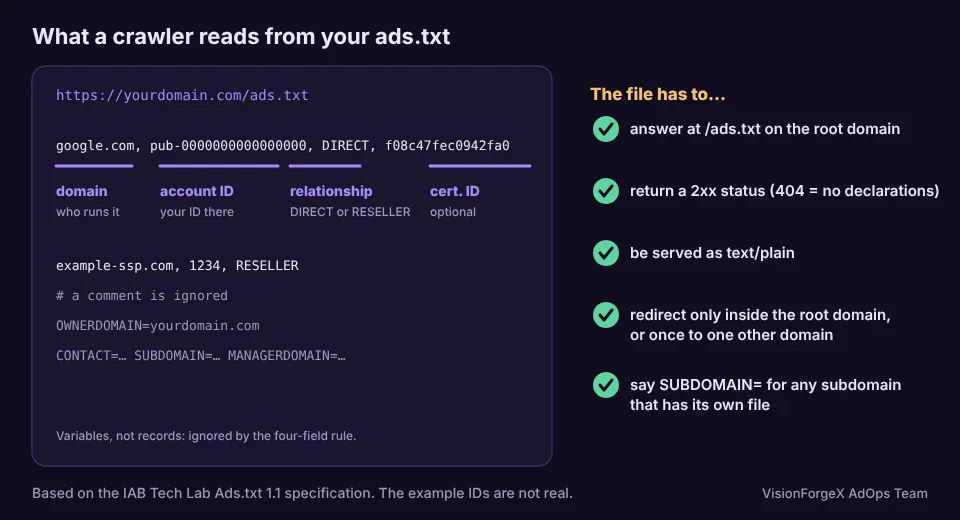
Each line is one declaration, made of comma-separated fields:
google.com, pub-0000000000000000, DIRECT, f08c47fec0942fa0- The advertising system's domain. Who runs the exchange or SSP, here Google.
- Your account ID on that system. For Google this is your
pub-identifier. Google's AdSense help says it is usually thedata-ad-clientvalue of your tags with theca-prefix removed. - The relationship.
DIRECTmeans you hold the account and sell there yourself.RESELLERmeans someone else sells your inventory through that account. The spec treats this field as case-insensitive. - The certification authority ID. Optional. The spec says it may be deprecated, and that a separate file,
sellers.json, is preferred. The value in the example is the fixed one that Google's own examples show.
Anything after a # is a comment and is ignored. A line such as OWNERDOMAIN=example.com is a variable, not a record. The spec defines CONTACT, SUBDOMAIN, OWNERDOMAIN and MANAGERDOMAIN. The last names your main monetization partner, and a global entry has no country code.
Where the file must live
- At
/ads.txton your root domain, such asexample.com/ads.txt. The spec derives the root domain from the Public Suffix List. - Reachable over HTTP or HTTPS, with
Content-Type: text/plain. On a 2xx answer the crawler reads it. - A 404 means the crawler assumes you made no declarations at all. For other errors on a file it has already read, the spec says the last successfully read copy is used.
- A subdomain has its own file only if the root file points to it with
SUBDOMAIN=and the subdomain serves one. Otherwise the root file applies. - Redirects within the same root domain are followed, including several hops. One redirect to a different domain is allowed, and a second one is an error. So
www.example.comredirecting toexample.comis fine, and a chain that hops through two other domains is not. - A file with no authorized systems should not be empty. The spec gives a placeholder line for that case.
The errors we would look for first
1. The file is not where crawlers look. A copy in a subfolder or on www only. Open https://yourdomain/ads.txt in a private window and see.
2. An error page that returns 200. Some sites answer every missing address with their home page and a 200 status. The crawler reads HTML as the file. Check that the first line of the response is a declaration, not a tag.
3. A wrong content type. A server that sends the file as text/html or downloads it as an attachment. The spec asks for text/plain.
4. The ca- prefix left in. For Google lines the ID after pub- is what the file needs, not ca-pub-.
5. A missing line. You joined a new partner and never added their lines, or you removed a partner and left their lines in. A partner's lines are given to you by that partner, so copy them exactly.
6. A wrong relationship type. RESELLER where you hold the account, or the reverse.
7. Spaces, smart quotes and stray characters. Text pasted from a document can contain characters that look right and are not. Edit the file in a plain editor.
8. A cache or CDN serving an old file. You fixed it and the crawler still sees the old one. Look at the address as a crawler does, not through your own browser's cache.
A script that checks it every day
This script fetches /ads.txt, reports the status, content type and final address, and then checks that every line from a list of required lines is present. It ignores comments, blank lines, case and the spaces around commas:
#!/usr/bin/env bash
# Usage: check-ads-txt.sh example.com required-lines.txt   (SCHEME=http for a test server)
site="$1"; need="$2"; tmp=$(mktemp); trap 'rm -f "$tmp"' EXIT
read -r code ctype final < <(curl -sS -L --max-redirs 3 -o "$tmp" \
  -w '%{http_code} %{content_type} %{url_effective}\n' "${SCHEME:-https}://$site/ads.txt")
echo "status=$code type=$ctype final=$final"
[ "$code" = 200 ] || { echo "FAIL: expected 200"; exit 1; }
case "$ctype" in text/plain*) ;; *) echo "WARN: content type is $ctype, the spec asks for text/plain";; esac
norm() {   # no comments, no blank lines, no spaces around commas, lower case
  sed -e 's/#.*//' -e 's/\r//' -e 's/[[:space:]]*,[[:space:]]*/,/g' \
      -e 's/^[[:space:]]*//' -e 's/[[:space:]]*$//' "$1" | grep -v '^$' | tr 'A-Z' 'a-z'
}
missing=0
while IFS= read -r line; do
  norm "$tmp" | grep -qxF -- "$line" || { echo "MISSING: $line"; missing=1; }
done < <(norm "$need")
[ "$missing" = 0 ] && echo "OK: every required line is present"
exit "$missing"
Put your required lines in a text file, run the script from a scheduled job once a day, and send yourself the output when the exit code is not zero. The last part is the one people skip, so test it: break the file on purpose once, and confirm that you get the message.
We ran this script against a local test server in a headless test while preparing the article. It reported a good file as OK, a missing line as MISSING, a 404 as a failure, and an HTML content type as a warning. We have not pointed it at a live production site. It does not follow the spec's rule on a second redirect, and it does not know about Google Manage Inventory child lines. The final address it prints is there so you can see where a redirect went.
Mistakes we see
- Fixing the file and never checking again. Themes, plugins and CDN rules change.
- Trusting the dashboard. An ad network may show "authorized" for a while on a copy it read earlier.
- Checking only the lines. A file that is not served as text, or is served from the wrong place, passes a line check in your browser and fails for a crawler.
- A check nobody tests. Ours did nothing on its first day on the new server.
- Pasting from a partner's email. Smart quotes and extra spaces travel with the text.
How VisionForgeX handles this
We keep the default list of lines for our platform and check each site's live file against it every day. A site that is missing lines gets a weekly reminder email naming its domain. Our partners page describes how we give you the exact lines for the demand on your site and email you when one goes missing. If you work through Google's multi customer management, how Google MCM works covers the child account relationship, which is where our checker is still incomplete.
Frequently asked questions
What does an ads.txt error do to my revenue?
Buyers that check the file may skip inventory they cannot match to your declarations, so fill and rates can fall. We cannot give you a size for the effect. Compare fill before and after a fix on the same pages.
How long does a change to ads.txt take to count?
It depends on when each crawler visits next. We do not have a figure we would stand behind for every ad system. After a fix, keep the file stable and watch the status in each platform's dashboard.
Do I need ads.txt on subdomains?
Only if the root file declares them with SUBDOMAIN= and the subdomain serves its own file. Otherwise the root file applies to them.
Is it a problem if my ads.txt redirects?
A redirect inside your own root domain is fine, such as www to the bare domain. One hop to another domain is allowed. A second hop is an error.
What if I have no authorized sellers yet?
Do not leave the file empty. The spec says an empty file is deprecated, and gives a placeholder line for the case.
Where to go next
If ads stopped showing and you have not checked the file, include it in the ten-minute checklist for Google Ad Manager ads not showing. For the Google demand behind the lines, read how Google Ad Exchange works for publishers, or ask us to look at a file.
 Google AdX and MCM
What Is Google MCM? How It Works and How to Choose a Partner
Google MCM explained: how Multiple Customer Management gets publishers into Google AdX, Manage Inventory vs Manage Account, payments and choosing a partner.
 Publisher growth
Revenue per visit: which traffic sources really pay for themselves
Page RPM tells you what a page earns; revenue per visit tells you what a visitor from Facebook, search or a paid campaign earns across every page they read. How to measure it without inventing revenue, the counting mistake we made, and a script.
 Programmatic basics
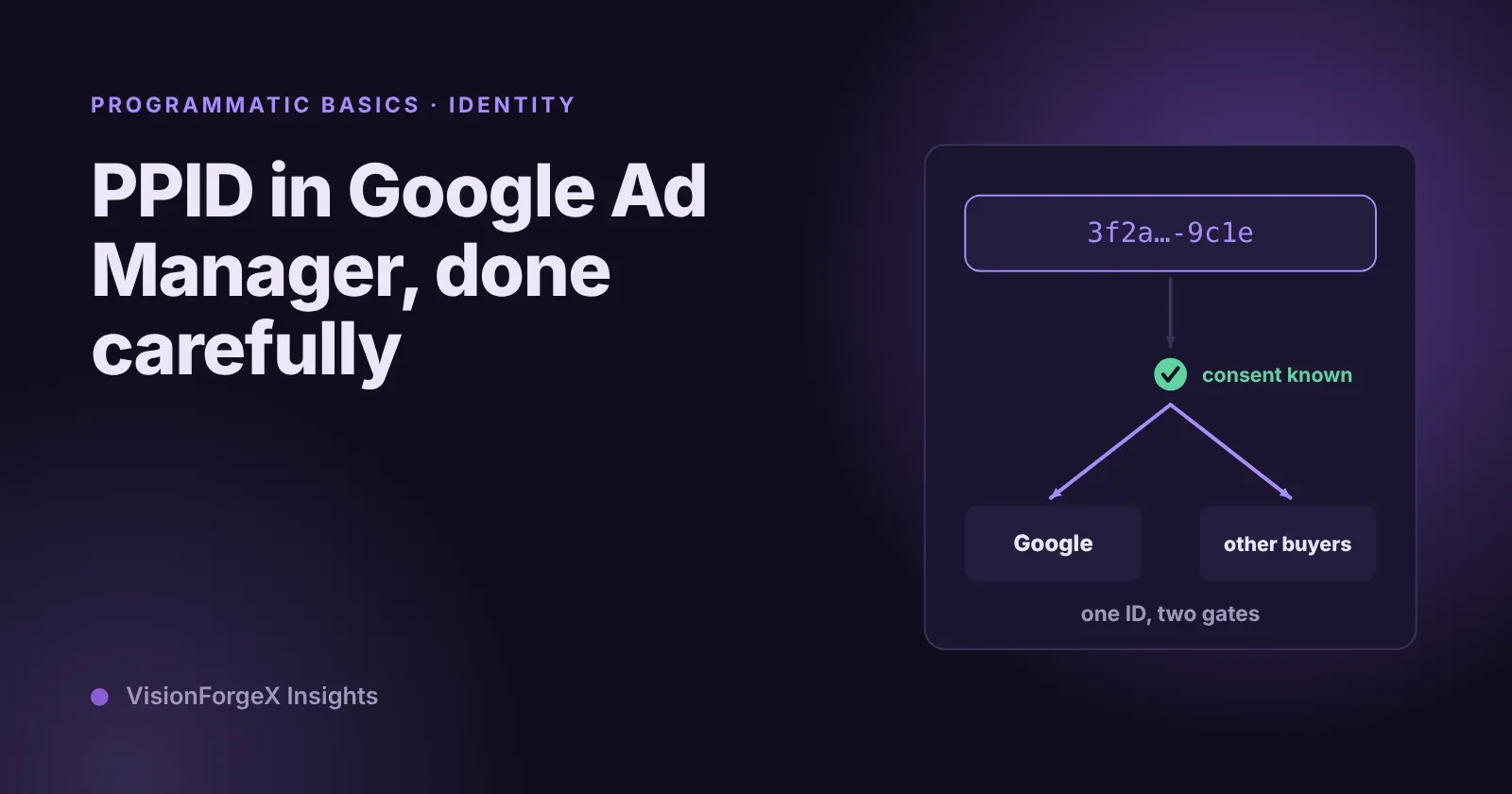
PPID in Google Ad Manager: a first-party ID done carefully
The publisher provided identifier lets you send Google your own ID for a reader, so frequency caps and audiences work without third-party cookies. What Google requires, who sees it, the consent rules we follow, and code that sets it only when it should.