Google Ad Manager key values: set up, send and report on them
Key-values tell Ad Manager what a page is about, so a line item can target it and a report can split by it. How to create the key, send values from the page, stay inside Google's limits, and avoid the trap of values nobody can report on.
On this page
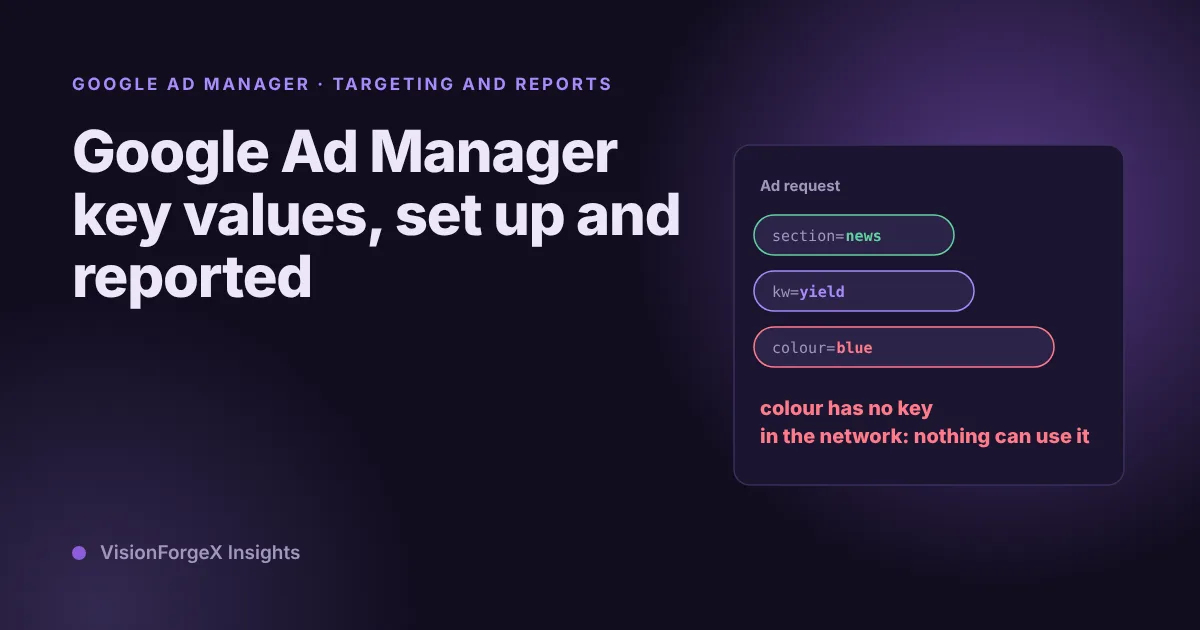
Google Ad Manager key values are labels that your page sends with each ad request, such as section = news, so that a line item can target the request and a report can split revenue by it. They look trivial, and most of the trouble comes from the parts that are not code: the key has to exist in your network first, the values have to fit Google's limits, and a value that nobody defined cannot be reported on. This guide covers all three and gives code that builds the labels from the page and checks them before they go out.
It assumes you use Google's tag (gpt.js) on a website with Ad Manager as the ad server. If you use our tag, much of the sending part is already done for you, and we say where.
What we saw
Our tag has a key-value feature that reads each page and sends words from it with the ad request. It takes words from the page title, the meta description and the first heading, drops common words, keeps the most frequent ones (eight at most, by default), and cuts each value to 40 characters. It also sends a value for the URL path. The keys are called kw and url_path.
The code was the easy part. The part that bit us is on our known-gaps list: those two keys have to be created by hand in every Ad Manager network before they can be reported on. A page can send kw with perfectly good values for months, and the report still has nothing to show, because the key was never made reportable. Nothing breaks and no error appears, which is why it is easy to miss. The data you wanted simply is not there afterwards, and Google's reporting page says reports for dates before a key was made reportable show nothing for it.
We also keep a harder number in mind: we have no figure for what key-values add to revenue, and we would not trust one from anyone for a site we have not seen. They are a targeting and measuring tool. What they earn depends on whether somebody builds a campaign or a report on them.
How Google Ad Manager key values work
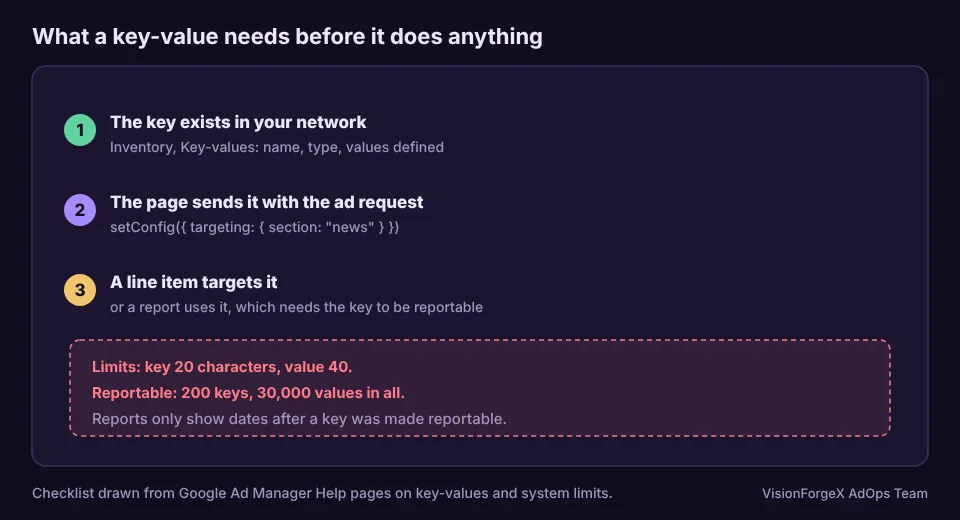
Google's key-values page puts it in one line: when an ad request arrives with key-values, line items that target those key-values can serve. Four things have to be true for that to happen:
- The key exists in your network (Inventory, Key-values).
- The page sends the key and a value in its ad tag.
- A line item, or a proposal line item, targets that key and value.
- What you send is not personal information. Google's page says not to pass anything it could recognize as personally identifiable.
A key is a category and a value is one of its options. section is a key, and news, sport and travel are values. When you add a key you give it a name, which is what goes in the ad request, and a display name, which is what your team sees. You also pick a type, according to Google's page on adding key-values:
- Predefined: you list the values in Ad Manager, and a trafficker picks from the list.
- Dynamic: values are entered freely when a line item is built.
The same page says a key will not be serviceable until you define values.
The limits you can plan around
Google's system limits page lists these for custom targeting:
| Limit | Value |
|---|---|
| Characters in a key name | 20 |
| Characters in a value | 40 |
| Active keys per network | 200 |
| Active values per key | 100,000 |
Reporting has its own, smaller limits, set out on Google's page about key-value system limits: 200 reportable keys, and 30,000 reportable values, counted across all keys together. When you go over, you cannot add reportable keys or values until you remove some.
That second number decides how you should design your keys. A key that takes a few dozen stable values, such as section or template, fits comfortably. A key that takes a new word from every page title does not. This is the trap behind free-form keywords: they are fine for targeting, and they cannot all be reportable. So the rule we work by is to keep two groups. Use a short, planned list of values for anything you want to read in a report, and use free-form words only where a campaign needs to target them.
Valid keys and values
Google's page on valid key-value entries says key names and values are not case-sensitive, that a key cannot start with a number or contain spaces, and that these characters are not allowed in either: " ' = ! + # ; ^ ( ) < > [ ] , &. A value can contain spaces, which then need quotes in some places. Values are strings even when they look like numbers, so for an age range use a single value such as 18-32.
The safe habit is to use lower-case letters, digits and underscores only, and to build values from words rather than from raw text. It also keeps your reports tidy, since News and news count as the same value anyway.
Sending them from the page
Google's tag takes page-level targeting in setConfig, as shown in the configuration migration guide. It is the replacement for the older pubads().setTargeting() call. Arrays carry several values for one key. This code builds a small set from the page's own words and a section value from the URL, then sends them:
// Builds key-values from the page's own words and sends them with every ad request.
const KEY_MAX = 20, VALUE_MAX = 40, WORDS = 6;
const STOP = new Set('the a an and or of to in on for with is are was were this that how what why when your you from'.split(' '));

function pageKeyValues() {
  const meta = document.querySelector('meta[name="description"]');
  const h1 = document.querySelector('h1');
  const text = [document.title, meta ? meta.content : '', h1 ? h1.textContent : ''].join(' ');
  const count = {};
  text.toLowerCase().split(/[^a-z0-9]+/).forEach((w) => {
    if (w.length >= 3 && !STOP.has(w)) count[w] = (count[w] || 0) + 1;
  });
  const kw = Object.keys(count)
    .sort((a, b) => count[b] - count[a])
    .slice(0, WORDS)
    .map((w) => w.slice(0, VALUE_MAX));
  const first = location.pathname.split('/')[1] || 'home';
  const section = first.toLowerCase().replace(/[^a-z0-9]+/g, '_').slice(0, VALUE_MAX);
  return { kw, section };
}

googletag.cmd.push(() => {
  googletag.setConfig({ targeting: pageKeyValues() });
});
Create kw and section in Ad Manager first, make section reportable and give it the sections you really have. Send this before the first ad request, so that the request carries it.
To see what the page now carries, ask the tag. getConfig is in Google's reference and returns a frozen copy of the page's targeting:
console.log(googletag.getConfig('targeting').targeting);Check them against Google's rules
A key that is too long, or a value with a forbidden character, is the kind of fault that gives no error on the page. This check applies the published rules to whatever the page is about to send:
// Checks a targeting object against Google's published rules for keys and values.
const BAD = /["'=!+#;^()<>\[\],&]/;
function checkTargeting(targeting) {
  const problems = [];
  for (const [key, raw] of Object.entries(targeting)) {
    if (key.length > 20) problems.push(`key "${key}" is ${key.length} characters, the limit is 20`);
    if (/^[0-9]/.test(key) || /\s/.test(key)) problems.push(`key "${key}" starts with a number or contains a space`);
    if (BAD.test(key)) problems.push(`key "${key}" contains a character Google does not allow`);
    [].concat(raw).forEach((v) => {
      if (String(v).length > 40) problems.push(`a value of "${key}" is ${String(v).length} characters, the limit is 40`);
      if (BAD.test(String(v))) problems.push(`a value of "${key}" contains a character Google does not allow: ${v}`);
    });
  }
  return problems;
}
console.log(checkTargeting(googletag.getConfig('targeting').targeting));
An empty list means the page passed those rules. It does not tell you that the key exists in your network, or that a line item uses it. We ran both snippets in a headless browser against a stand-in for googletag, with pages that had a title, a description and a heading, and with deliberately bad keys and values. The first built the keys and values we expected, and the second reported each bad entry. We have not run them against live Google ads.
Making key-values reportable
Google's page on reporting on targeting keys is clear on the conditions:
- Only keys marked reportable can be used in reports.
- Values must be defined before they show up in reporting, even when the key is reportable.
- Dates from before a key was made reportable show no data for it.
- Where an impression carries several keys and values, the key-values dimension can overlap.
- Some options give up information, for example enhanced key-values count only the first value per key in a request.
In practice, this means setup comes before measurement. Create the key, mark it reportable, define its values, and only then start sending traffic you care about. If you are about to run a test, such as the three-distance lazy-load test in our lazy loading guide, make the key reportable days beforehand, because you cannot go back and fill the gap.
Mistakes we see
- Sending a key that was never created. The page looks right and nothing can use it.
- Making a key reportable after the test. The earlier days stay empty.
- Free-form words as a reporting dimension. They run into the 30,000-value limit.
- Characters Google does not allow. A comma or a quote in a value from page text is easy to produce.
- Raw page text. Titles contain punctuation, brand names and long phrases. Reduce them to words first.
- Personal information in a value. Names, emails and anything similar must never be sent.
- Changing keys and layout in the same week. You cannot tell which moved the numbers.
How VisionForgeX handles this
Our Key-Values feature sends words from each page and the URL path with every request, and ForgeAI can suggest category, topic, audience and tone for you to review before they are used. The keys still have to exist in your own Ad Manager network, which we cannot create for you. If a page sends nothing or an ad stays empty after you add keys, run the ten-minute checklist for ads not showing.
Frequently asked questions
What are key-values in Google Ad Manager?
Key-values are custom targeting labels. Your page sends a key and a value, such as section and news, with the ad request. A line item that targets that pair can then serve, and a report that includes the key can split results by it.
Do I have to create keys in Ad Manager before sending them?
Yes. Google's pages say to add the key-values in your network, include them in your tags, and target them in line items. A key that exists only in the page code has nothing to match, and it will not appear in reports.
How many key-values can I have?
Google lists 200 active keys per network and, for reporting, 200 reportable keys and 30,000 reportable values across them. A key name can be 20 characters and a value 40.
Should I send the page title as a key-value?
Not as it is. Titles contain characters Google does not allow and they run past 40 characters. Reduce the text to a few lower-case words, and keep reporting to a short planned list of values.
Why is my key-value report empty?
The usual causes are a key that is not reportable, values that were not defined, or a date range from before the key was made reportable. Check the key under Inventory, Key-values, and read the page's targeting back in the console to confirm it is sent.
Where to go next
If a line item targeting your key does not serve, read why Google Ad Manager ads do not show for the four stages an ad passes. To see where the Google demand behind your requests comes from, read how Google Ad Exchange works for publishers, or ask us about your setup.
Read next
More on Google AdX and MCM → Google AdX and MCM
Ad Manager reporting delay: why today's numbers look low
Today's Ad Manager numbers are always partial, and yesterday's can still move. What Google says about how fresh the data is, the time zone trap, and a small script that compares today with the same hours of yesterday.
 Google AdX and MCM
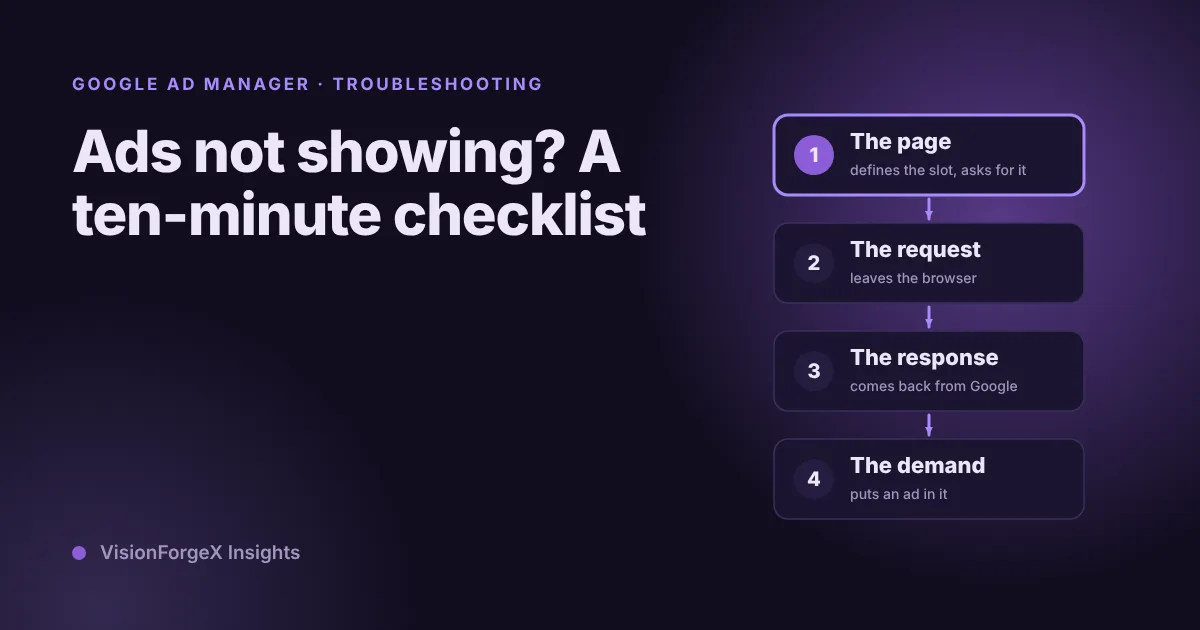
Google Ad Manager ads not showing: a ten-minute checklist
When ads do not show, the cause sits in one of four places: the page, the request, the response or the demand. Three console snippets tell you which, and a checklist covers the common causes in each.
 Google AdX and MCM
Google AdX for Publishers: How to Get Access and What It Pays
Google AdX explained for publishers: how the first-price auction sets your price, AdX vs AdSense, what drives earnings, how to get access and set it up.