Ad Manager reporting delay: why today's numbers look low
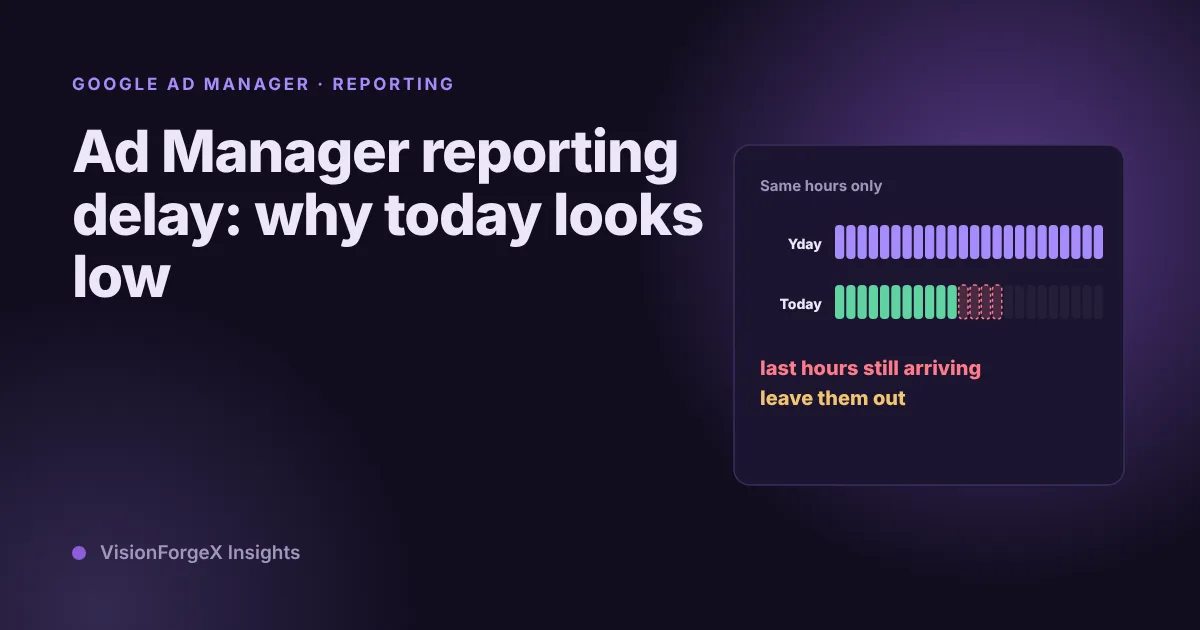
Today's Ad Manager numbers are always partial, and yesterday's can still move. What Google says about how fresh the data is, the time zone trap, and a small script that compares today with the same hours of yesterday.
On this page
- What we saw
- Ad Manager reporting delay: what Google says
- Why a day changes after you read it
- A fair way to compare today with yesterday
- What to do with a partial today
- Mistakes we see
- How VisionForgeX handles this
- Frequently asked questions
- How long is the Ad Manager reporting delay?
- Why is Ad Manager revenue lower than I expected today?
- Why did yesterday's revenue change?
- Which time zone does Ad Manager use for reports?
- Do the clock changes affect my reports?
- Where to go next
An Ad Manager reporting delay means the figures for the last few hours are not in the report yet, so any number you read for today is a partial count. Google says most data is available within four hours, and that it can take longer. This guide explains what that does to your reading of today, why a day you already looked at can change, and how to compare today with yesterday without raising a false alarm. It includes a short script for the comparison.
It is written for publishers who watch Ad Manager or AdX numbers during the day, and for anyone who builds an alert or a dashboard on them.
What we saw
We pull Ad Exchange revenue from Google for every site on the platform, every two hours. Each pull re-reads the last seven days rather than only the newest hours. That is not how we started: the first version re-read three days, and a gap in one pull never healed. The seven-day window, widened to cover a missed stretch, was the fix.
We then found a second thing, which is on our gotcha list: Google revises yesterday's figures hours later. A day that looked finished when we first read it was different the next morning. So we run a daily job that re-reads the last three completed days, overwrites ours with the settled figures, and removes rows that Google no longer reports. It will not wipe anything when a pull comes back empty or looks wrong, because a bad pull that deletes good data is worse than a late number.
The third lesson was the date itself. Our first pulls cut the day at the server's time zone, and rows landed on the wrong date for a network in another zone. We now use the network's own time zone.
The fourth is about alerts. Our platform drop alert compares Ad Exchange impressions so far today with the same time yesterday. It only runs after a pull that finished within the last three hours, and it waits otherwise. An alert built on stale numbers fires at nothing, and a pull that has failed should raise its own alert and not a drop alert.
Ad Manager reporting delay: what Google says
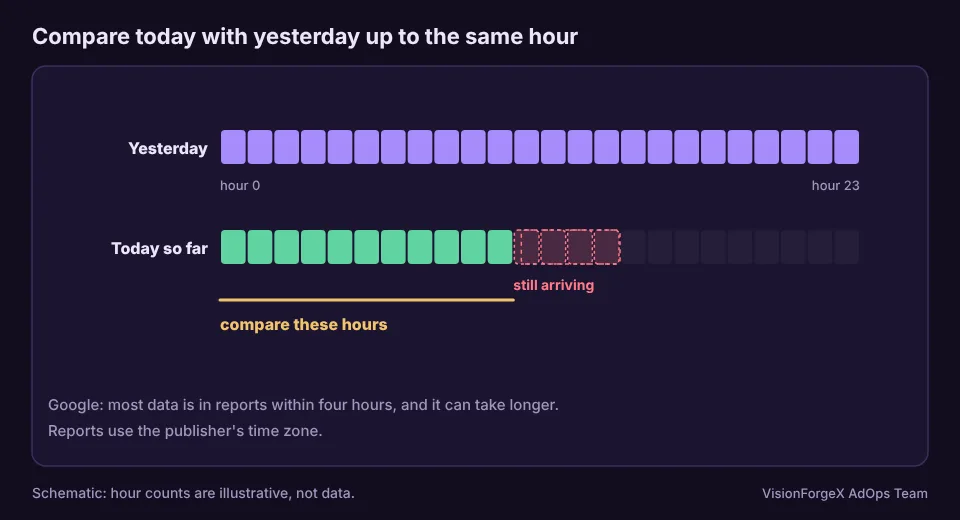
Google's overview of Ad Manager reporting says that statistics are aggregated continuously and that most data is available in reports within four hours, though it might take longer. It gives no maximum. The same page says all report types use the publisher's time zone.
It also says that statistics for the previous month are frozen after 3 AM Pacific Time on the first day of every month. It does not say whether data can still change after that, and we do not know.
On money, Google's page on invalid traffic says invalid clicks or impressions can cause a gap between estimated and finalized earnings. It does not say when the adjustment happens or how large it is. We therefore treat any figure for a recent day as an estimate, and we do not have a number for how far it can move.
Why a day changes after you read it
There are three separate reasons, and it helps to keep them apart:
- The data had not all arrived. Today's last hours are not in the report yet. This is the reporting delay itself, and it fills in on its own.
- The figure was an estimate. Earnings are finalized later, and invalid traffic is one named cause of a difference, according to Google.
- You read it in the wrong time zone. The numbers did not change. The day boundary moved.
The third is the one you can remove completely. Make sure that every report, export and script uses the time zone of the network. If you compare two reports, Google's page on investigating report discrepancies says to check that both cover the same date range and use the same time zone.
Daylight saving time adds one more wrinkle. Google's overview says that in March one hour in reporting has no data, and that in November one hour contains two hours of data. If your script sees an hour with nothing, or an hour that looks doubled, on a changeover day, look at the calendar first.
A fair way to compare today with yesterday
The mistake is to set the whole of yesterday against the part of today that has been reported. The fair comparison has three rules:
- Compare the same hours of both days.
- Leave out the most recent hours, which are the ones still arriving. We use four, from Google's statement above. That is a margin of safety and not a promise, since Google also says it can take longer.
- Compare in the network's time zone, so that "same hour" means the same thing on both days.
This script does all three. It takes hourly rows with a date, an hour and a count of impressions, and the current date and hour in the network's time zone:
// Compares today with yesterday up to the same hour, leaving out the hours that are still arriving.
function nowIn(timeZone, at = new Date()) {
  const p = new Intl.DateTimeFormat('en-CA', {
    timeZone, year: 'numeric', month: '2-digit', day: '2-digit', hour: '2-digit', hourCycle: 'h23',
  }).formatToParts(at);
  const get = (type) => p.find((x) => x.type === type).value;
  return { date: `${get('year')}-${get('month')}-${get('day')}`, hour: Number(get('hour')) };
}

function compareToYesterday(rows, now, { lagHours = 4, alertBelow = -0.3 } = {}) {
  const last = now.hour - lagHours;                       // the last hour we trust
  if (last < 0) return { status: 'too early', note: 'not enough trusted hours of today yet' };
  const yesterday = new Date(Date.parse(now.date + 'T00:00:00Z') - 86400000).toISOString().slice(0, 10);
  const total = (date) => rows.filter((r) => r.date === date && r.hour <= last)
                              .reduce((sum, r) => sum + r.impressions, 0);
  const t = total(now.date), y = total(yesterday);
  if (y === 0) return { status: 'no baseline', through: last, today: t, yesterday: y };
  const change = (t - y) / y;
  return { status: change <= alertBelow ? 'look' : 'ok', through: last, today: t, yesterday: y, change };
}

// const now = nowIn('Asia/Karachi');   // use your network's time zone
// console.log(compareToYesterday(hourlyRows, now));
The alertBelow value of -0.3, a fall of 30 percent, is an arbitrary starting point. Choose one from your own history. A site with few impressions an hour needs a wider margin, since small counts swing a lot.
We ran this script in a headless browser with made-up hourly rows. It ignored hours inside the margin, compared the same hours of both days, returned "too early" in the first hours of the day, "no baseline" when yesterday was empty, handled the change of month, and converted a fixed moment to the right date and hour in Karachi and Los Angeles. We have not run it against a live Ad Manager account.
What it cannot do: it does not fetch the data for you, and it does not know why a number fell. A status of look means look at the sites and the Ad Manager notifications. It does not mean something is broken.
What to do with a partial today
- Read the earlier hours of today and not the last few. The trend of the morning is more reliable than the latest hour.
- Re-read yesterday and the day before. If you export or store the numbers, overwrite recent days when you pull again instead of adding to them.
- Judge a day after it ends, and again later. The first reading of a finished day is still an estimate.
- Keep estimates and final figures apart. If you pay anyone from these numbers, agree in advance which day you will treat as final, since Google gives no date for it.
- Do not compare across sources. A report from your ad server, an exchange report and a bidder report will differ by timing as well as by definition.
Mistakes we see
- Reading today's total at noon and calling it a fall. It is a partial count.
- Cutting the day in the wrong time zone. The numbers shift between dates with no change in traffic.
- Adding new pulls to old ones. A re-read of a day should replace it.
- An alert that runs on stale data. It should wait for a fresh pull and raise a separate alert when the pull fails.
- Treating the first figure as final. Earnings are estimates until they are finalized.
- Forgetting changeover days. An empty hour in March or a doubled hour in November is the clock and not the traffic.
How VisionForgeX handles this
Our Reports read from Google every two hours, re-read recent days and settle them each day, using the time zone of your network. A day's figures can change when it settles. If you want to see how the Exchange demand behind these numbers works, read how Google Ad Exchange works for publishers. To measure by section or topic, set up key-values first, as our key-values guide explains, because a key shows no data for dates before it was made reportable.
Frequently asked questions
How long is the Ad Manager reporting delay?
Google says most data is available in reports within four hours, and that it might take longer. It does not give a maximum. For that reason, leave out the last few hours when you compare, and look again the next day.
Why is Ad Manager revenue lower than I expected today?
Today's figure is a partial count. The most recent hours have not arrived yet, so a comparison with a complete yesterday will always look low. Compare the same hours of both days instead.
Why did yesterday's revenue change?
Earnings are estimates until they are finalized, and Google names invalid traffic as one cause of the difference between estimated and finalized earnings. In our own records, yesterday's figures changed hours after we first read them, which is why we re-read recent days. Google does not give a size for the change.
Which time zone does Ad Manager use for reports?
Google's overview says all report types use the publisher's time zone. If you build a script or export, use the same one, or the figures will land on the wrong dates.
Do the clock changes affect my reports?
Yes. Google says that in March one hour in reporting has no data and that in November one hour contains two hours of data. If a day looks odd on a changeover, check the calendar before the traffic.
Where to go next
If the numbers are low because ads did not load at all, run the ten-minute checklist for ads not showing. If you want help reading your own figures, talk to us.
Read next
More on Google AdX and MCM → Google AdX and MCM
Google Ad Manager key values: set up, send and report on them
Key-values tell Ad Manager what a page is about, so a line item can target it and a report can split by it. How to create the key, send values from the page, stay inside Google's limits, and avoid the trap of values nobody can report on.
 Google AdX and MCM
Google Ad Manager ads not showing: a ten-minute checklist
When ads do not show, the cause sits in one of four places: the page, the request, the response or the demand. Three console snippets tell you which, and a checklist covers the common causes in each.
 Google AdX and MCM
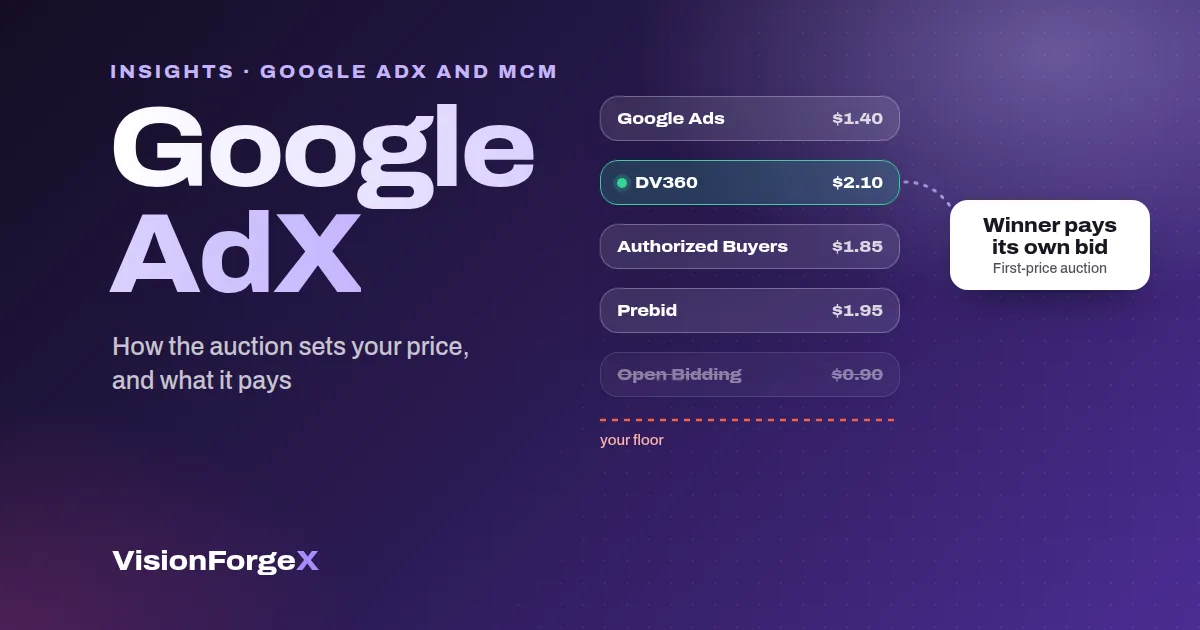
Google AdX for Publishers: How to Get Access and What It Pays
Google AdX explained for publishers: how the first-price auction sets your price, AdX vs AdSense, what drives earnings, how to get access and set it up.